







Type

New Application

Role

UX Designer

Platform

Mobile

Design Tools

Figma

Duration

4 Months

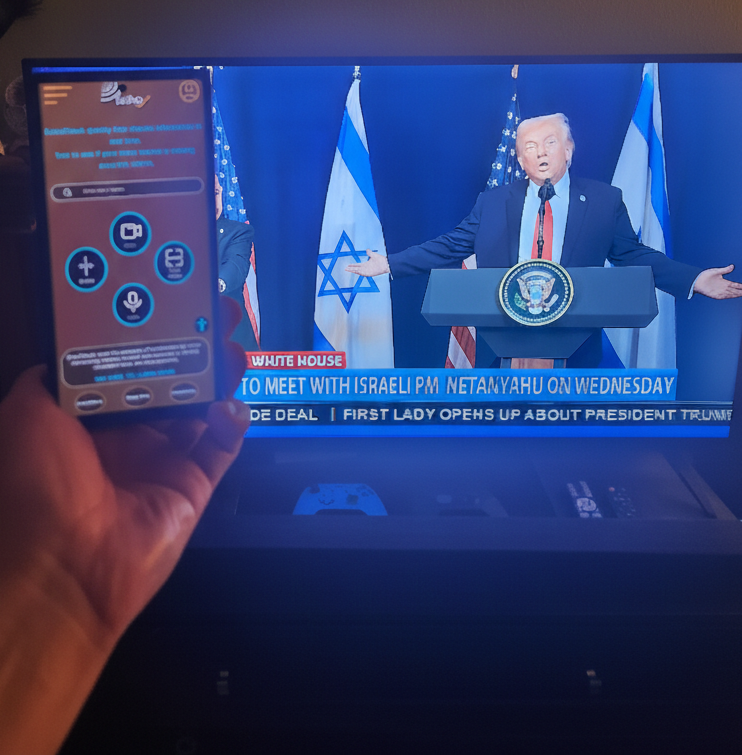
EchoCheck scans your media for bias in real time, giving you insight into your media echo chamber.

The problem : 

Communities suffer when information is difficult to trust and verify.  If people have no way to decide for themselves what to believe they are left vulnerable to persuasion.

The goal : 

This app and website will allow users to fact check what they see, hear or read quickly from a trustworthy source.

Age of misinformation

This app aims to explore how a digital tool could be used for social good.

A tool with clear results would allow people to see the slant behind the information they consume.

App for social good

Understanding ones own echo chamber of news vs the facts of the story effect how people view their community and the world.

Universal appeal

Anyone old enough to use a cell phone would benefit from being able to know the truth of what is being reported.

No current app in existence

Apps such as Schazam or SoundHoud can identify a song title, currently there is no app that scans for media bias.

Understanding the user

  • User Research
  • Personas
  • Pain Points
  • Scope & Structure

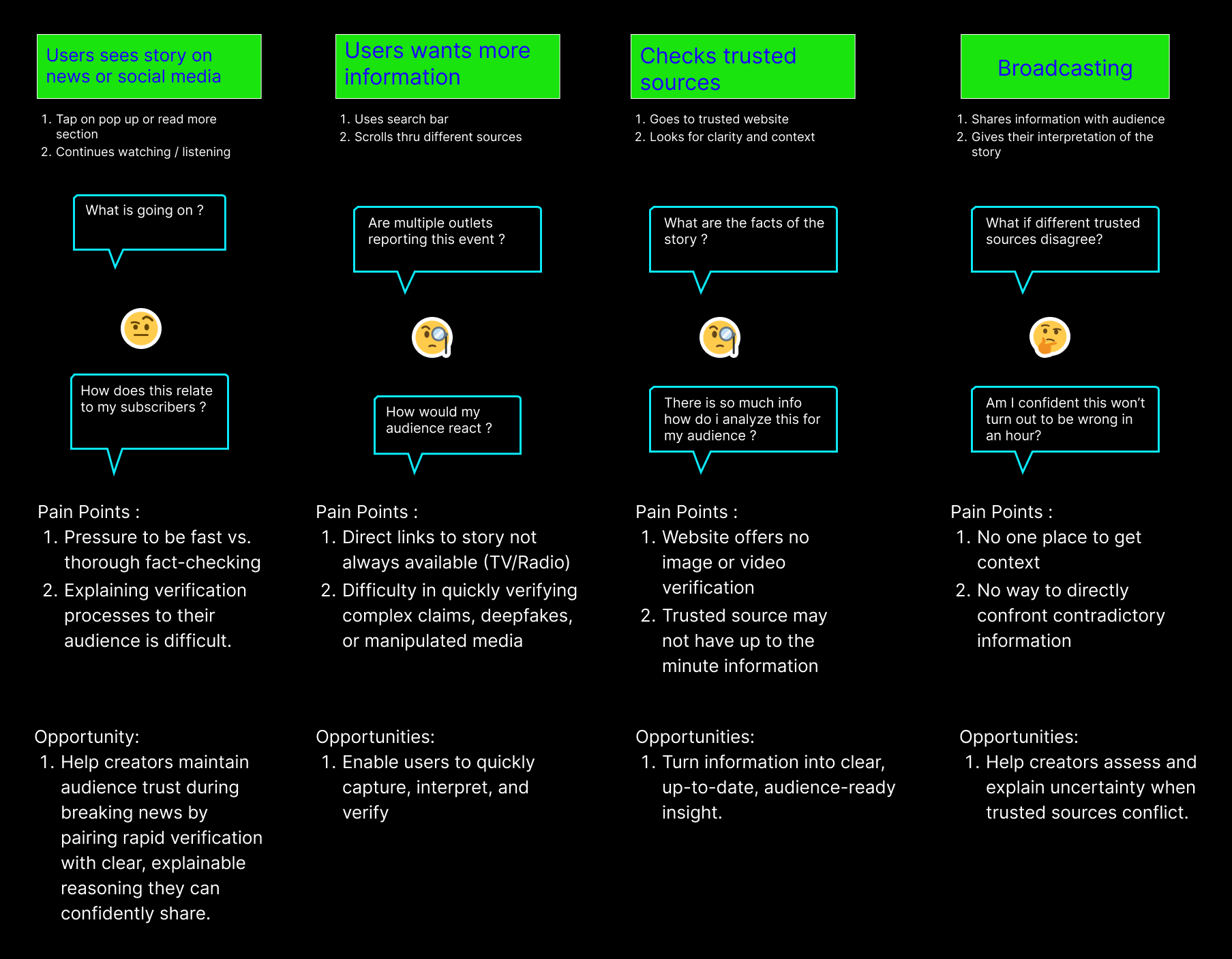
I began this project with a clear mental model of who would most likely benefit from a real-time fact-checking app—people who regularly consume, create, or help interpret news and social media content. This perspective directly shaped the framing of my initial survey, which targeted frequent social media users who question the accuracy of news, individuals who consume large amounts of news across platforms, and educators who support critical media literacy.

These assumptions were translated into proto-personas to help focus research and inform survey design. The survey explored participants’ media habits, technology comfort, and trust behaviors, allowing me to validate and refine these early assumptions. The resulting insights crystallized into three core user types that guided subsequent design decisions.

Personas

Social Media Creator

I need quick credible analysis I can share, and develop a reputable voice to gain followers.

Goals

  • Develop a trusted voice
  • Needs to quick verification before sharing
  • Maintain creditability amoung peers / followers

Frustrations

  • No mobile app available 
  • Respond to developing stories related to complex issues 
  • Unable to identify AI fake images / videos

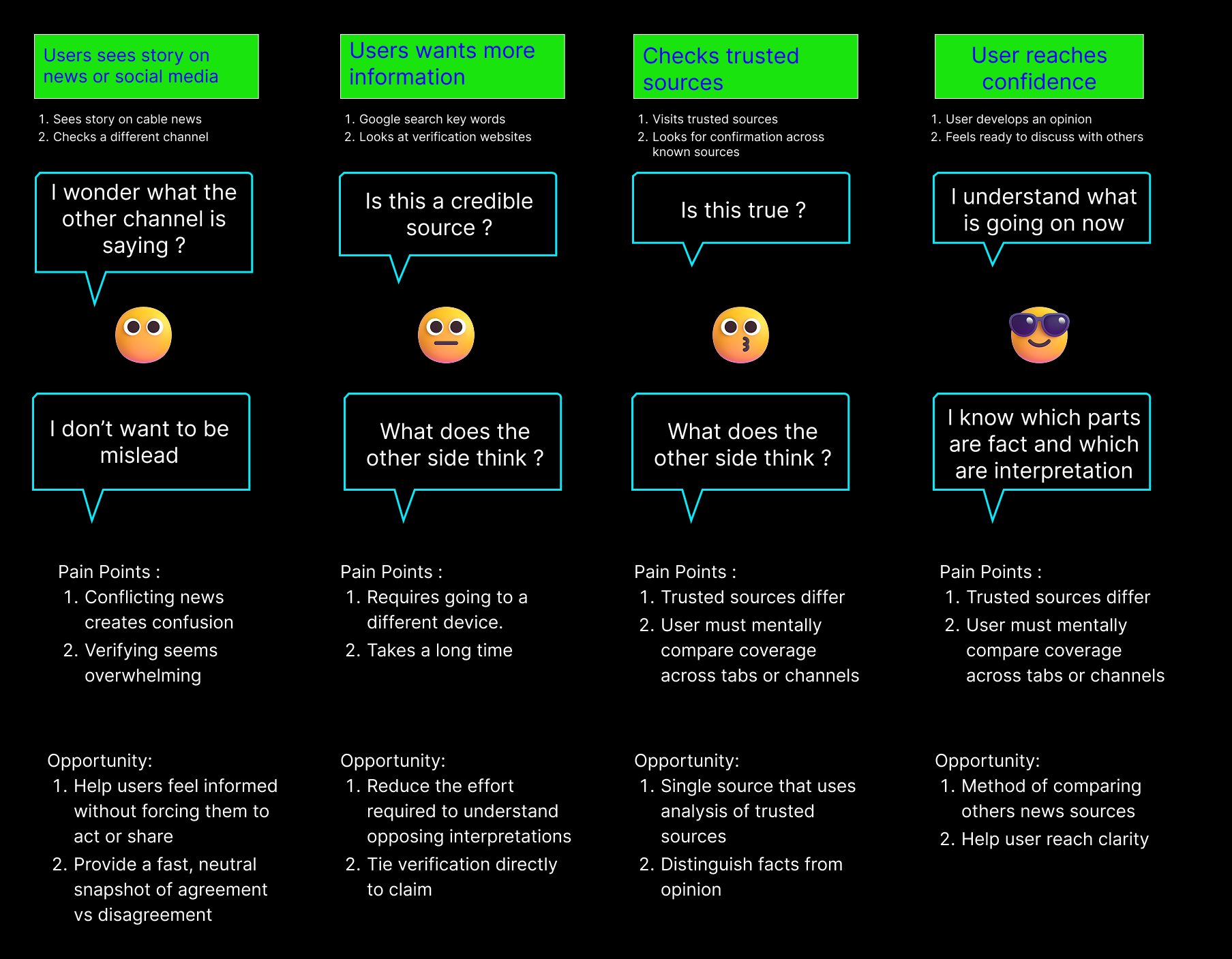
News Consumer

I check the news regularly, I want to feel confident when I fact check, so that I can be well informed.

Goals

  • Needs app to work with cable news
  • Wants to feel confident about the info she gets
  • Desires to understand both sides of a issue
  • Needs app to be simple to use

Frustrations

  • Not sure what source to trust
  • Fact checking sites to overwhelming
  • Does not know how to check for altered pics – videos

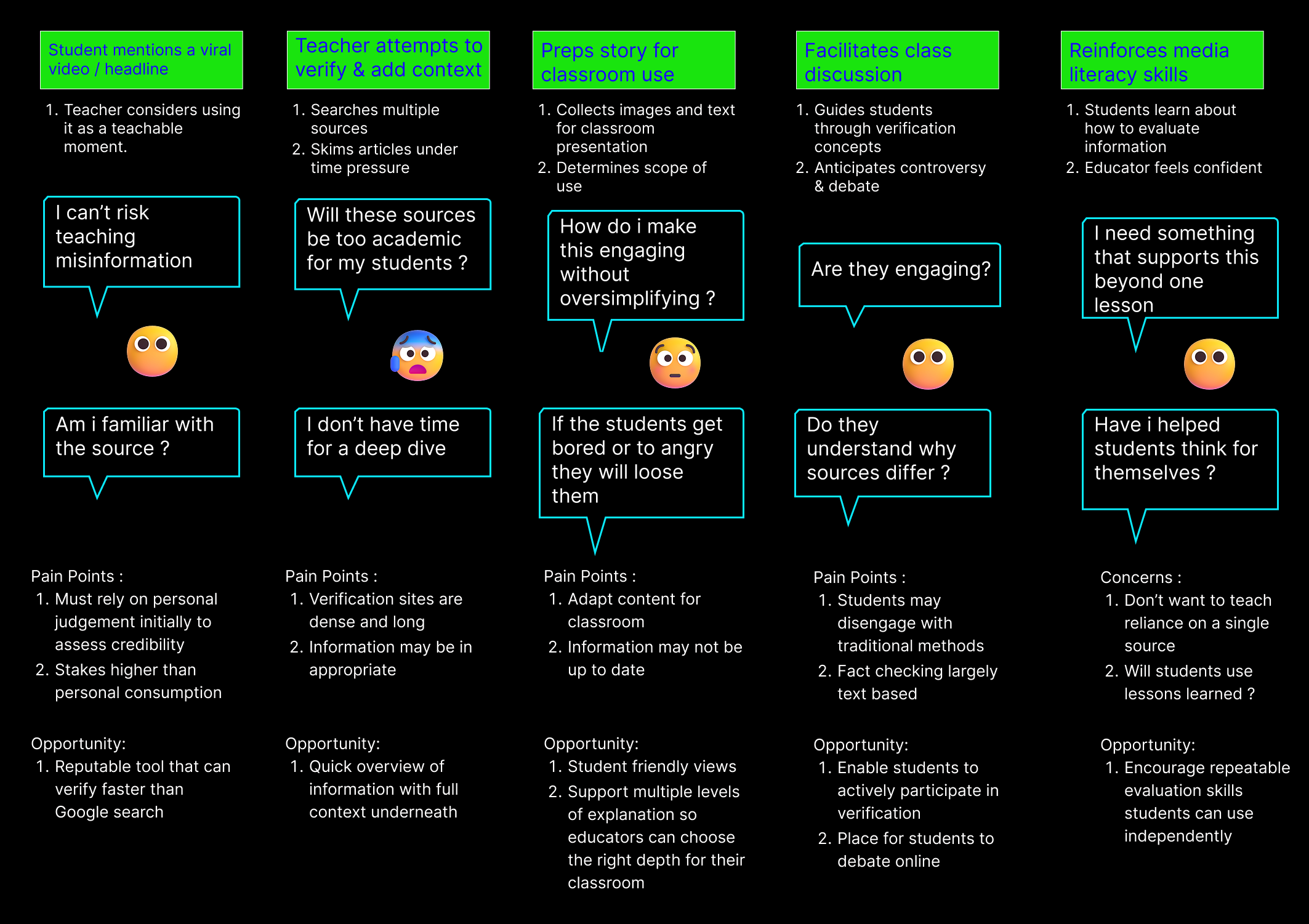
Concerned Educator

I want to know my students and I have a trustworthy tool, so that i can graduate critical thinkers.

Goals

  • Needs a app that is creditable
  • App needs to appeal to kids – simple to use
  • App needs to work on all social media platforms

Frustrations

  • App has to be creditable for academic environment
  • App has to be up to date
  • App needs to be cheap for low income st

User Interview Survey

With initial proto-personas in place, I sent out a user survey to ground these assumptions in real user behavior. The survey focused on how people consume news, how they assess credibility, and what barriers prevent them from verifying information.

Interview Survey Results

What device do you use to check the news?

40% said mobile phones are the preferred device to check the news.  This suggests that users value immediacy, portability, and quick access.  The minimal use of newspapers, radio, and word of mouth highlights how legacy and informal channels have largely been displaced

How much time are you willing to spend checking if something is true?

Half of users are willing to invest significant time to verify information, signaling strong motivation when credibility or personal relevance is high. At the same time, a sizable group (30%) expects very fast answers, reflecting low tolerance for friction and a desire for quick validation.

What do you do when you are unsure if something is true ?

70% of participants default to Google Search suggests users prioritize speed, familiarity, and a single entry point over specialized tools. Google acts as a “verification shortcut,” even though it often surfaces mixed-quality sources that still require judgment.

Have you ever believed something that turned out not to be true ?

The idea for creating this app was to get users to challenge their own beliefs a.k.a their (echochamber).  I asked for examples of what has mislead people in the past. 

I thought a picture I found online was picture and it turned out to be an AI created image
I recall sharing a seemingly compelling infographic about historical spending that turned out to be wildly distorted.
I did not believe COVID virus escaped from a research lab until later when the story was verified through multiple news stories that corroborated each other.

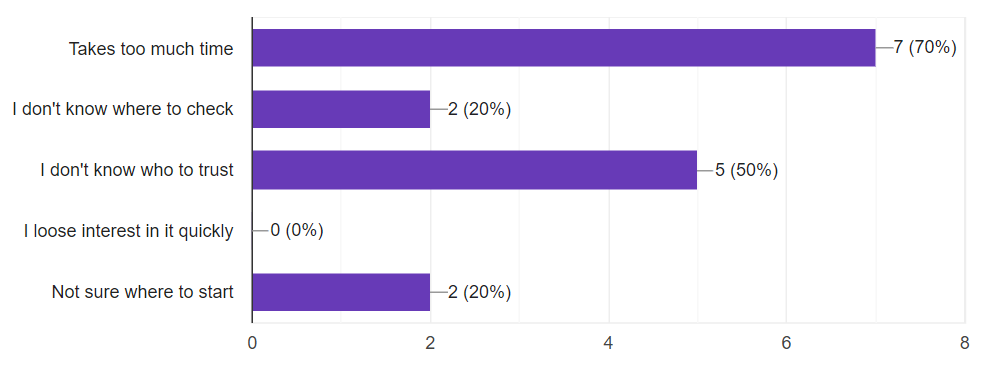
What stops you from fact checking ?

Time was the biggest contributor to abandonment followed closely by not knowing who to trust.

What makes you question what you see / hear on the news ?

" Anything that sounds like a conspiracy theory "

" Anything that sounds too good to be true, or too outrageous. "

"Anything that triggers a strong emotional reaction, especially outrage or fear. "

" Anything that lacks cited sources, or claims to have a 'secret' or 'hidden' truth. "

Biggest Pain Points

Time

70% of users report it takes too much time to fact check information.

Credibility

Transparency is paramount to gaining the trust of the users. Including where the info comes from and that the app has no political bias.

Simplicity

Users want clear and easy to understand interface with as few steps as possible.

Structuring Ideas

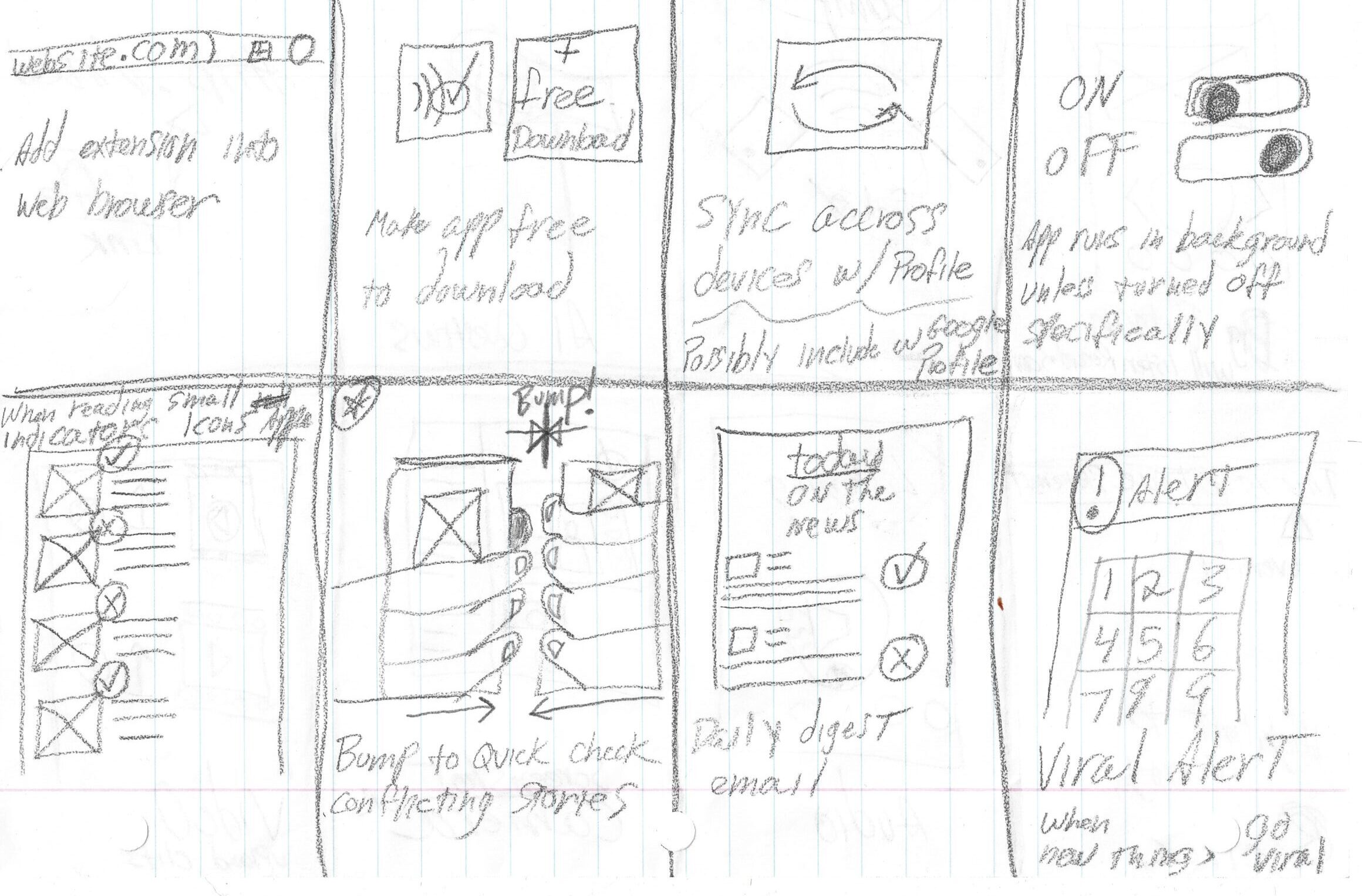
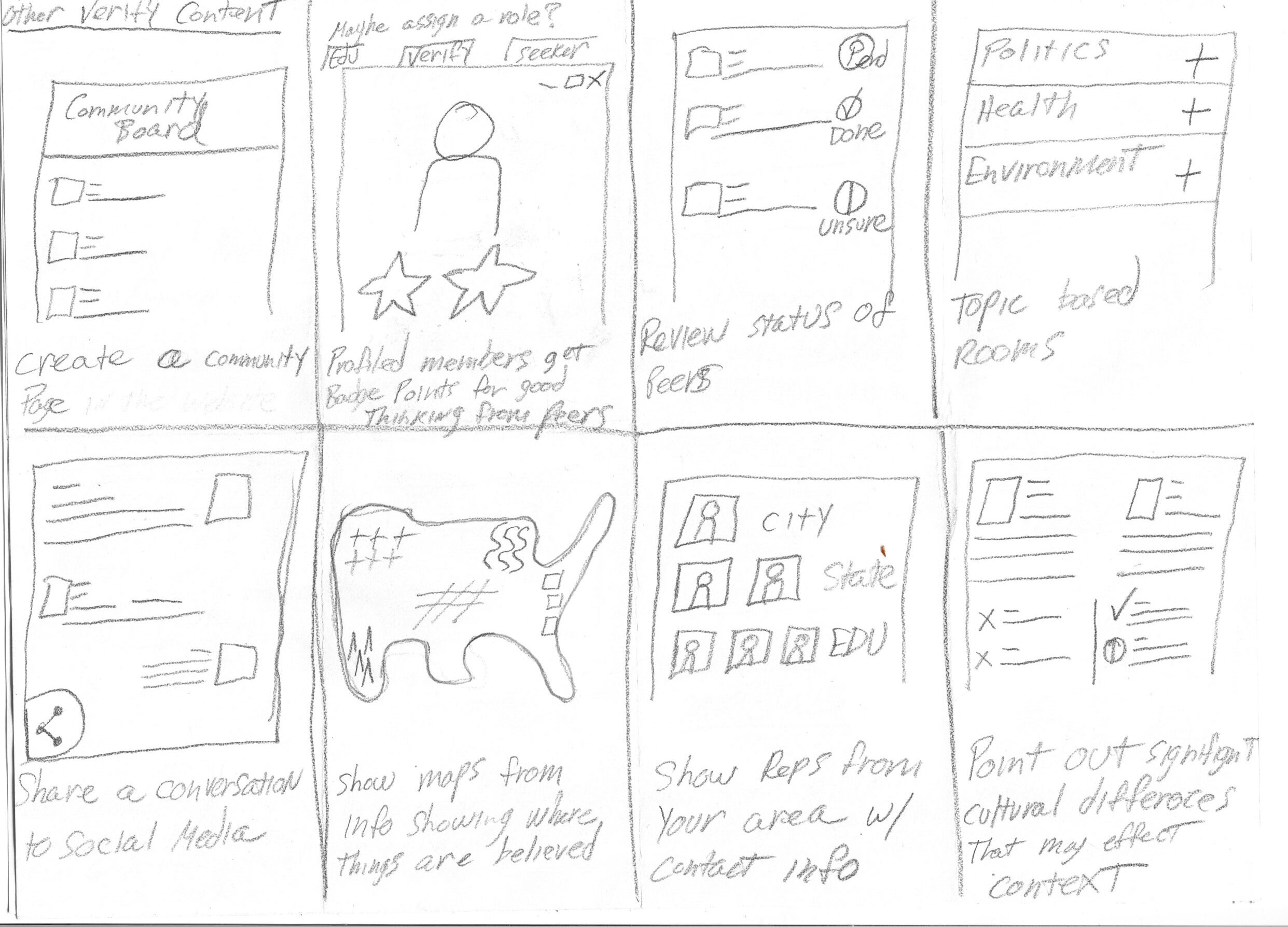
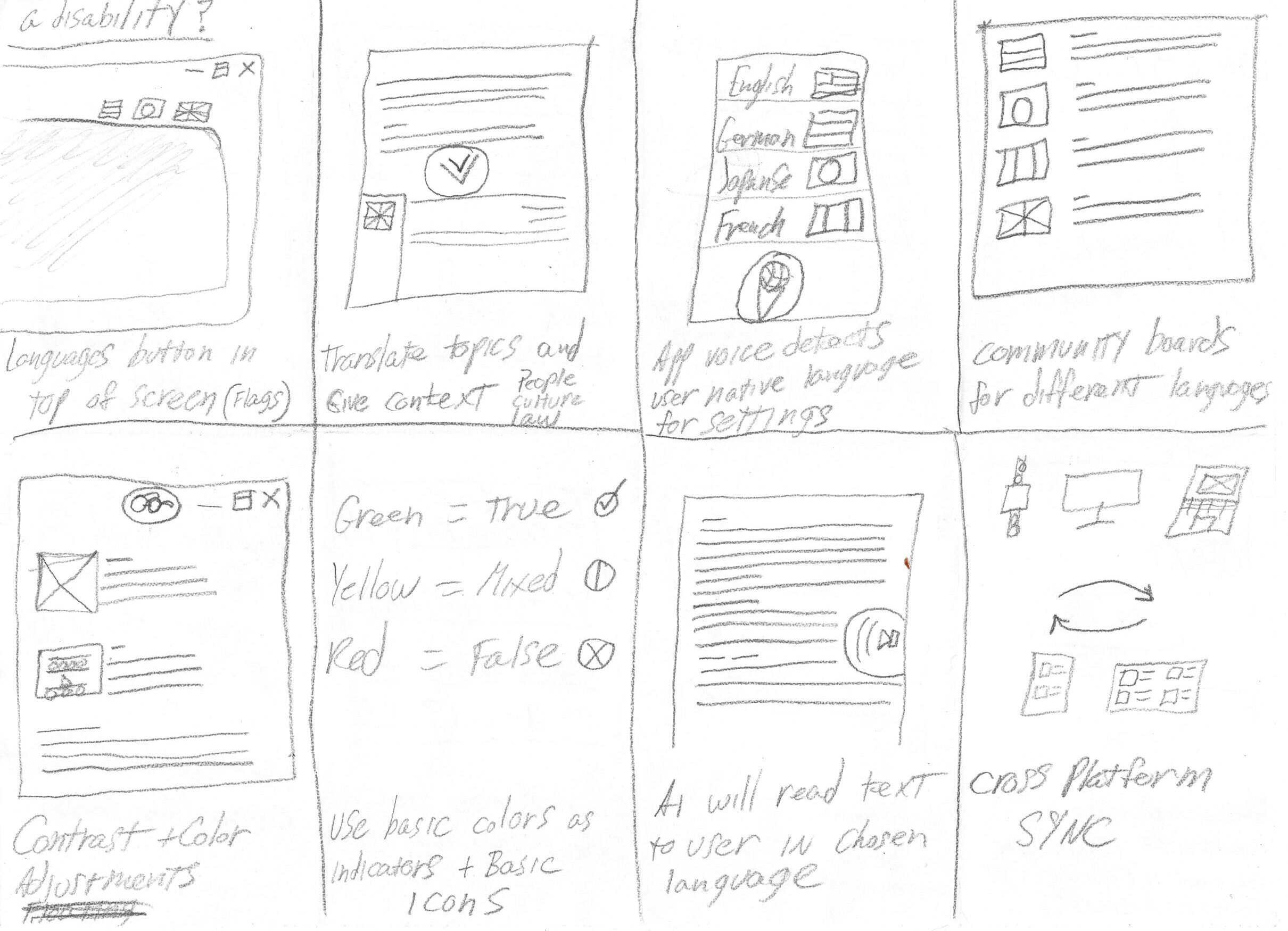
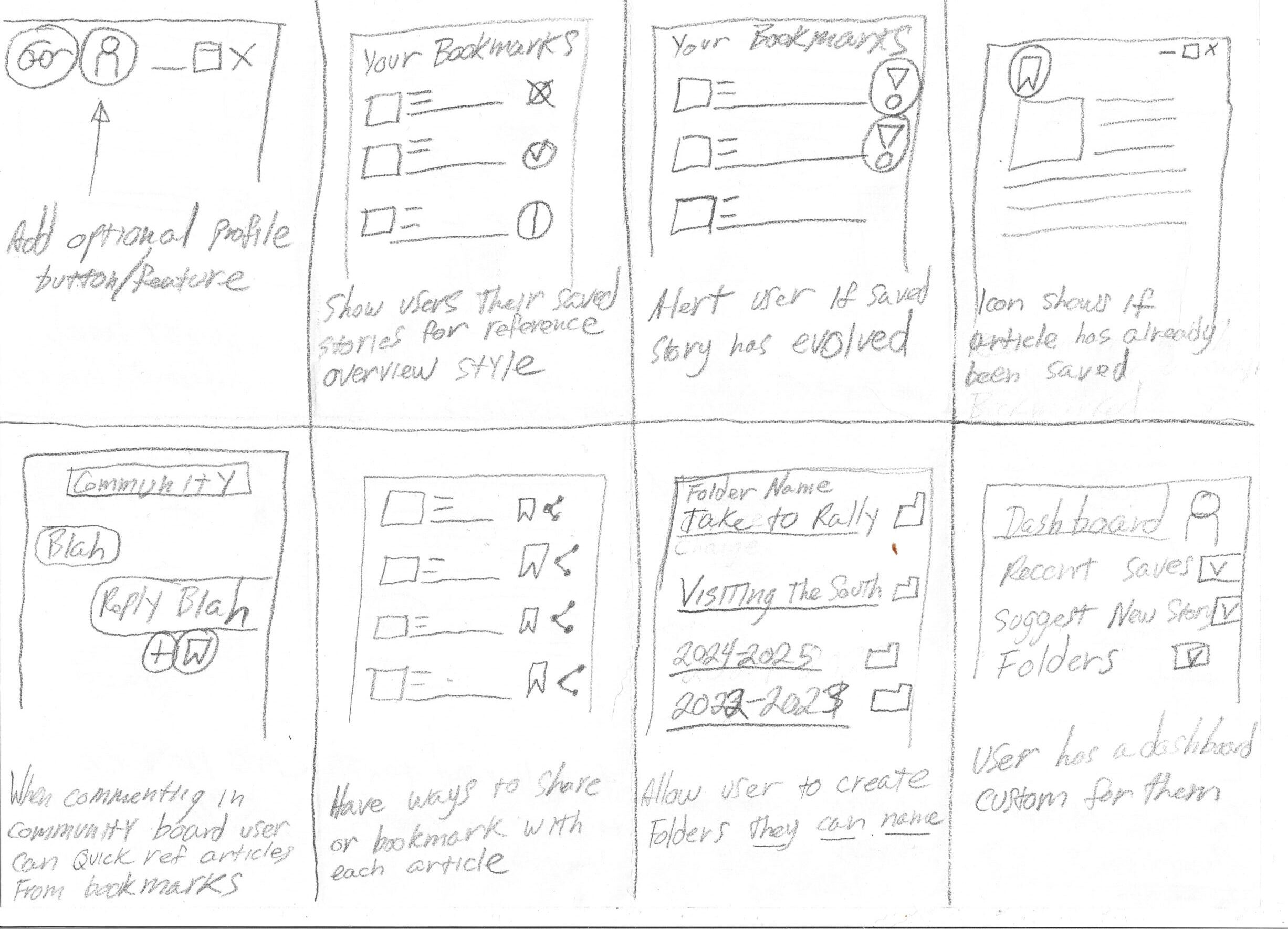
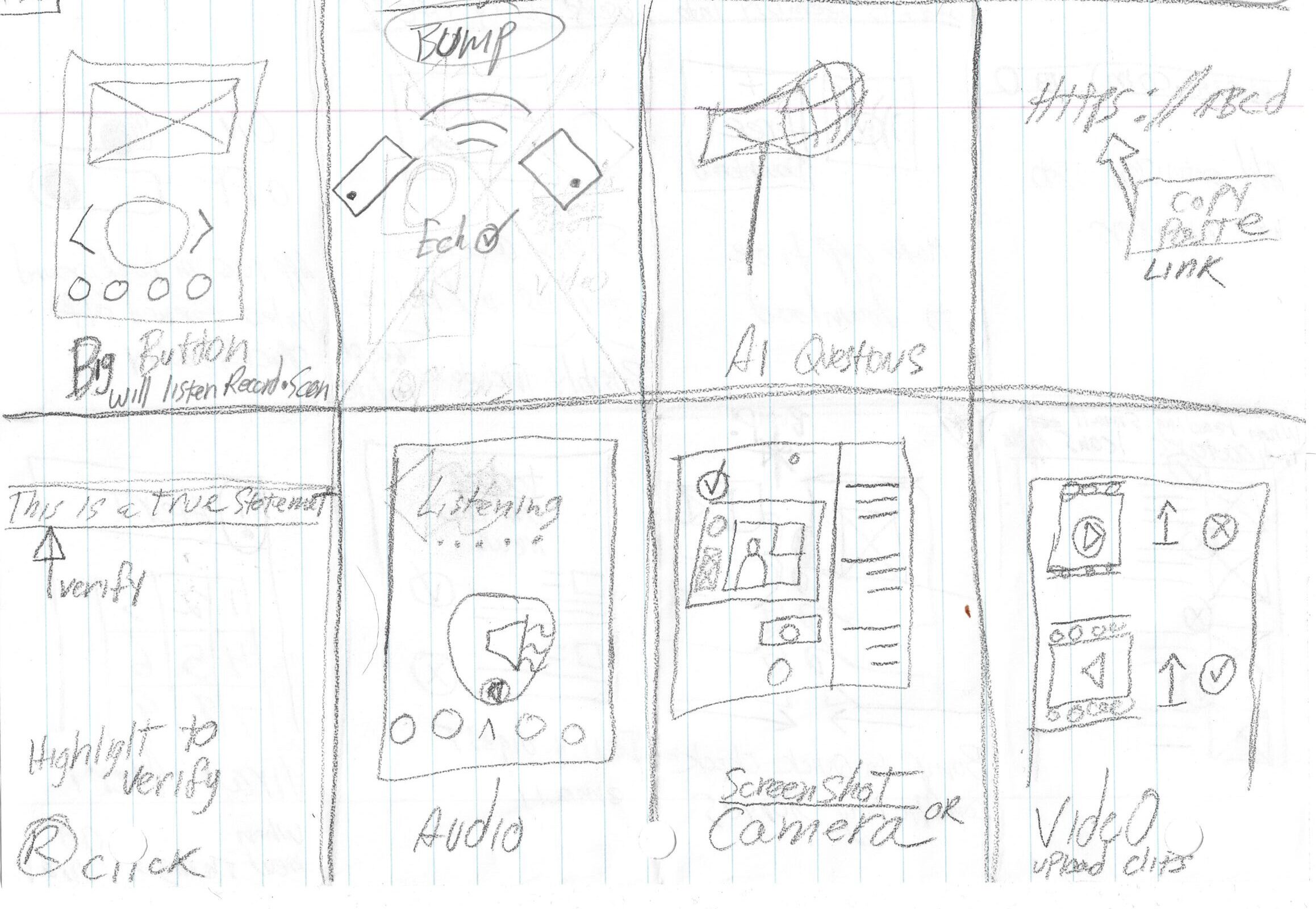
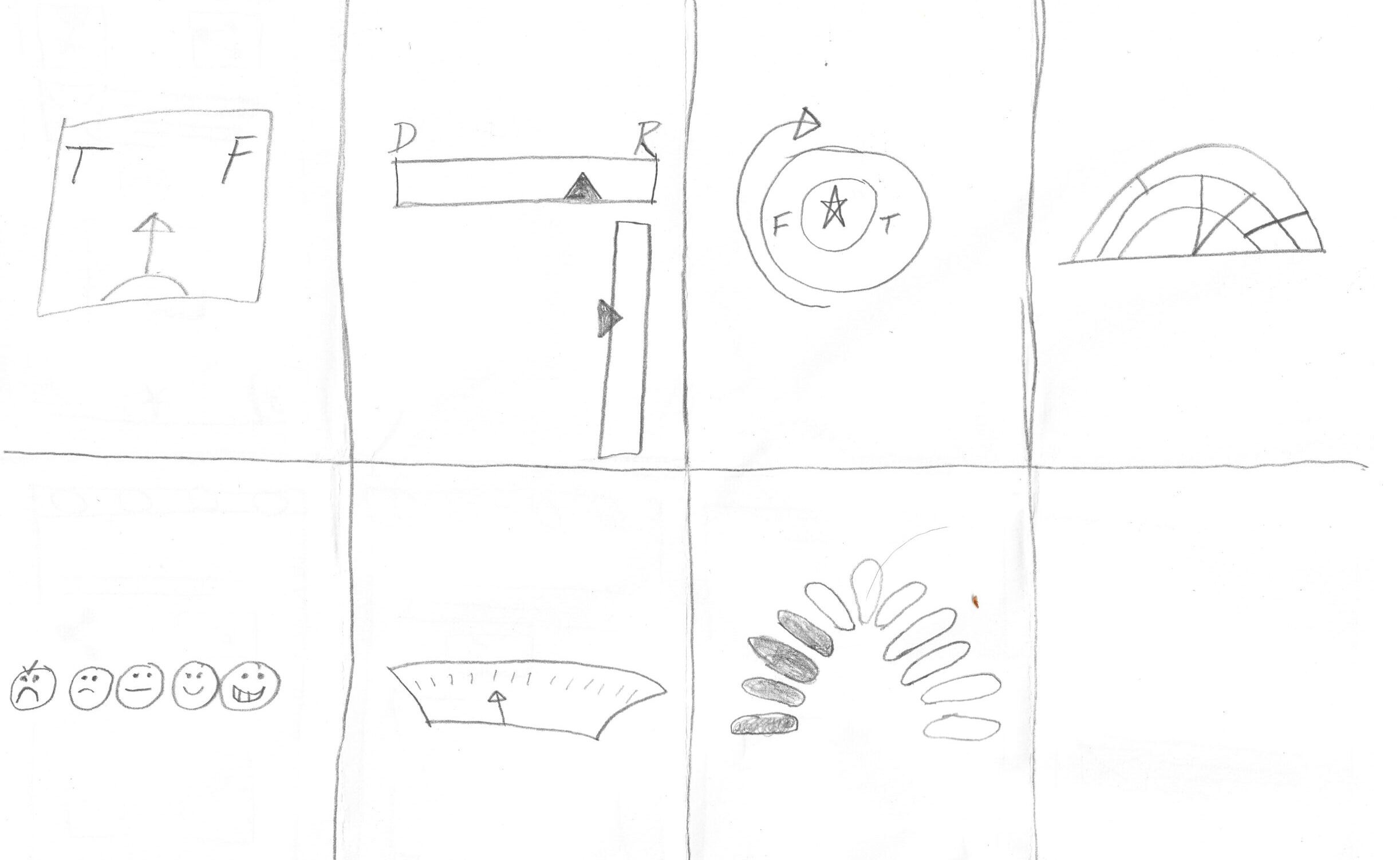
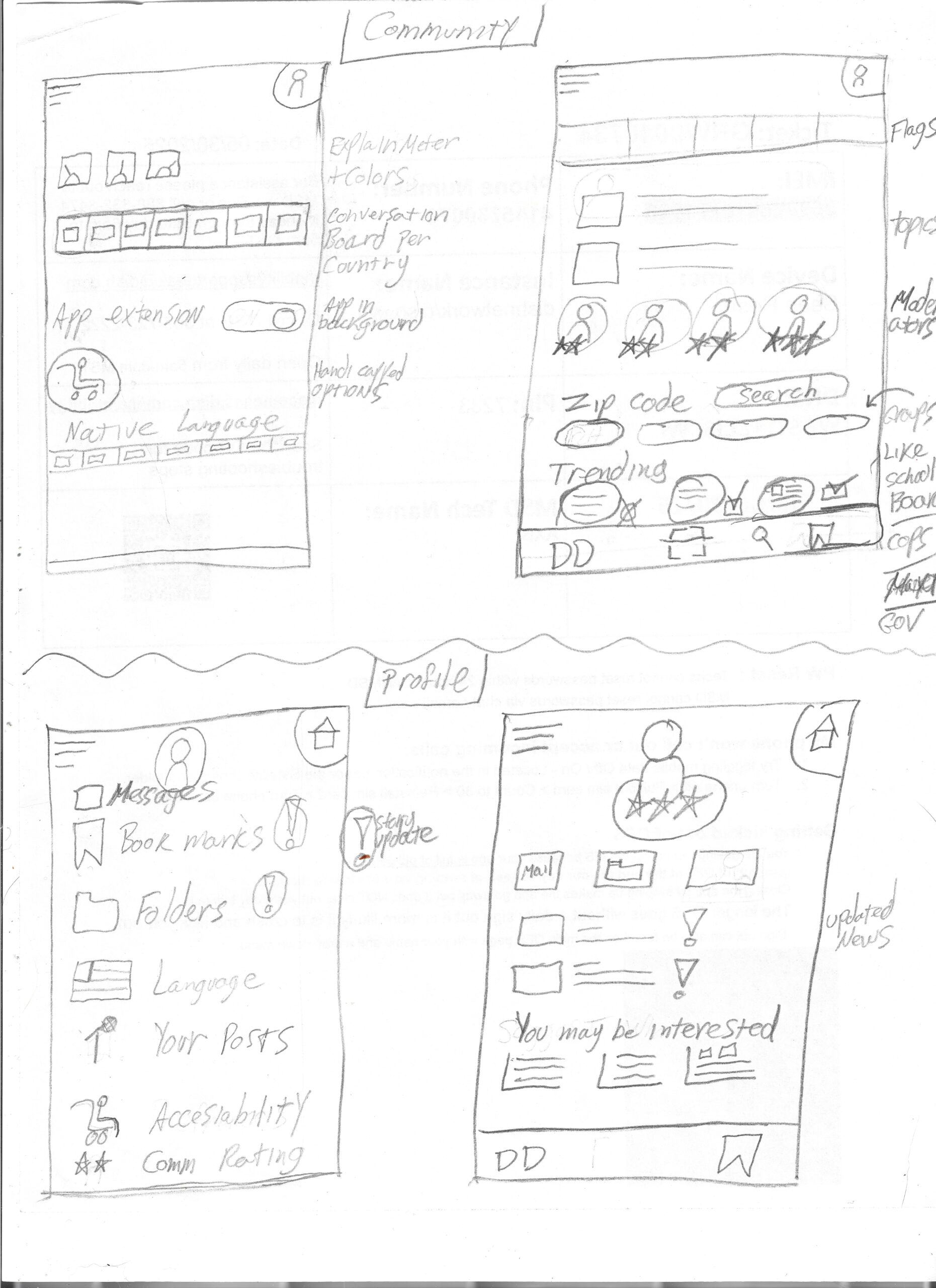
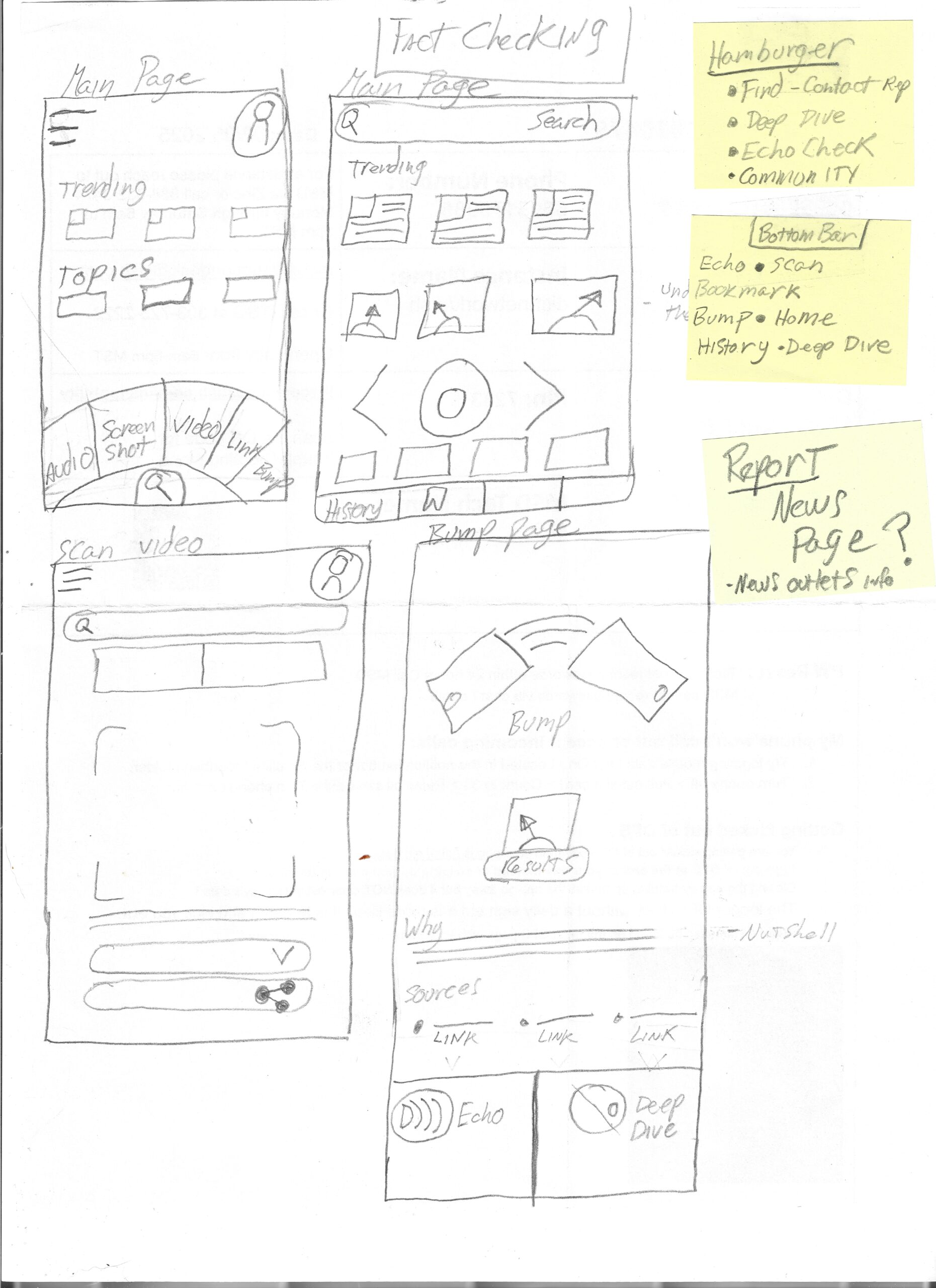
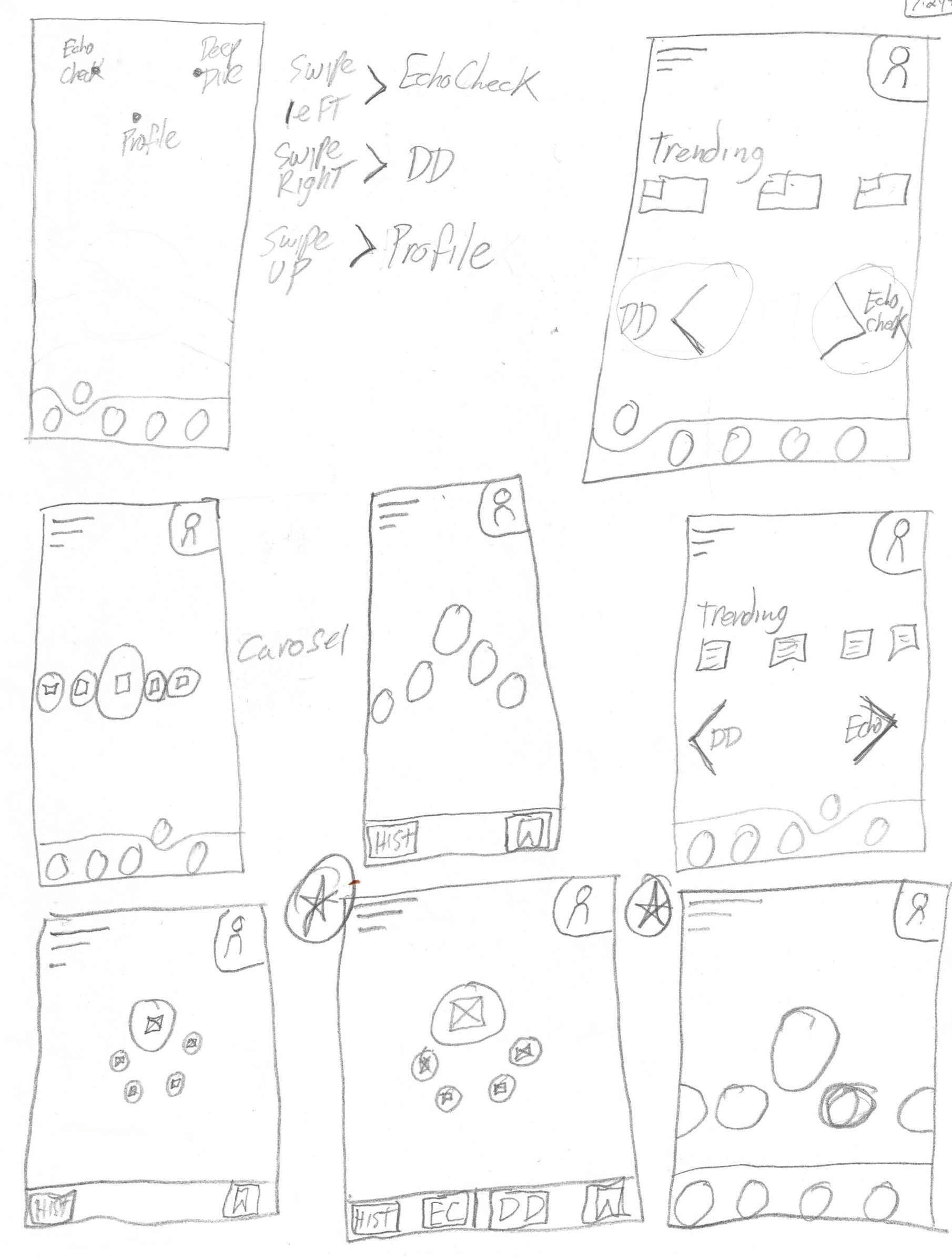
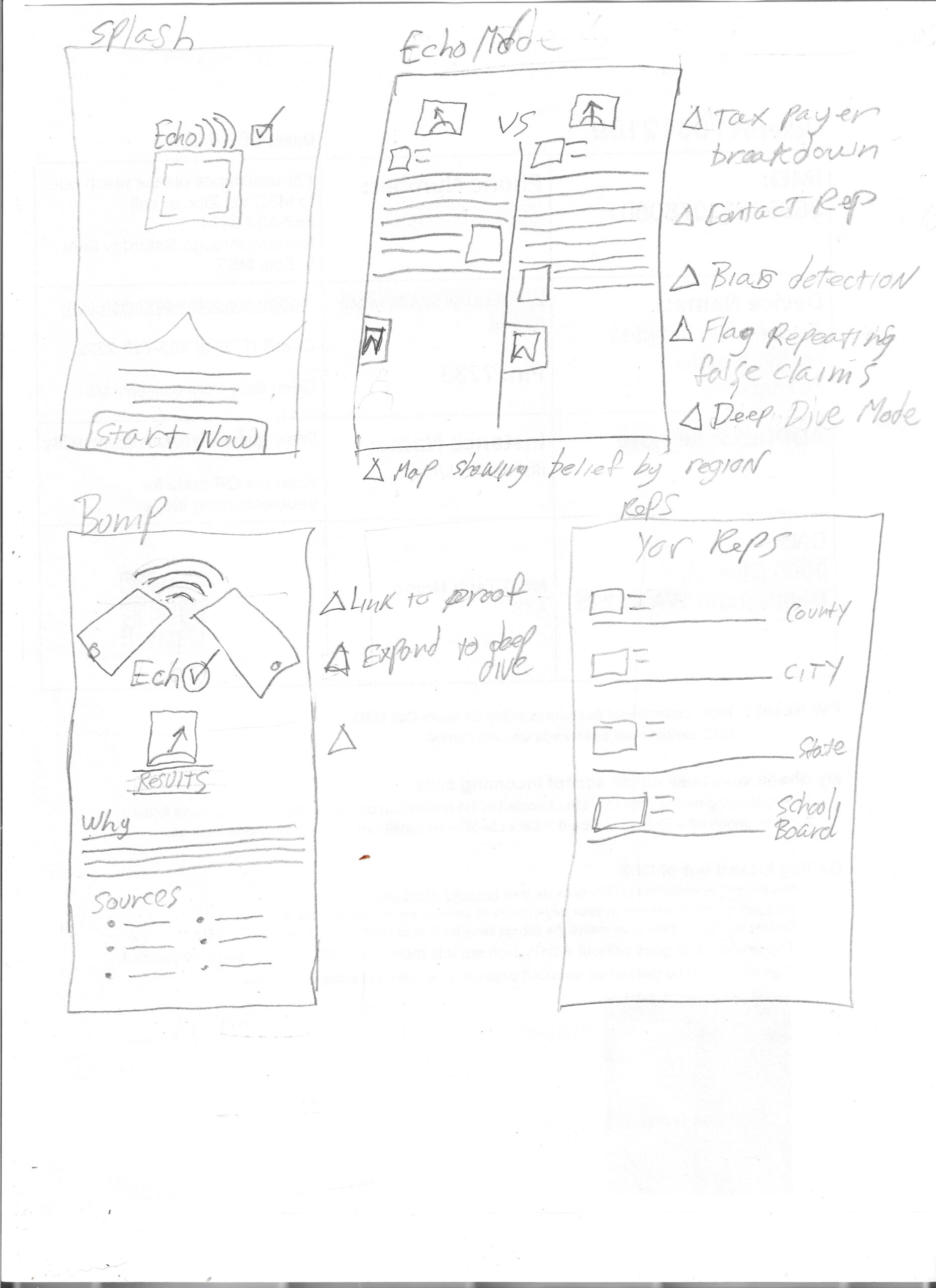
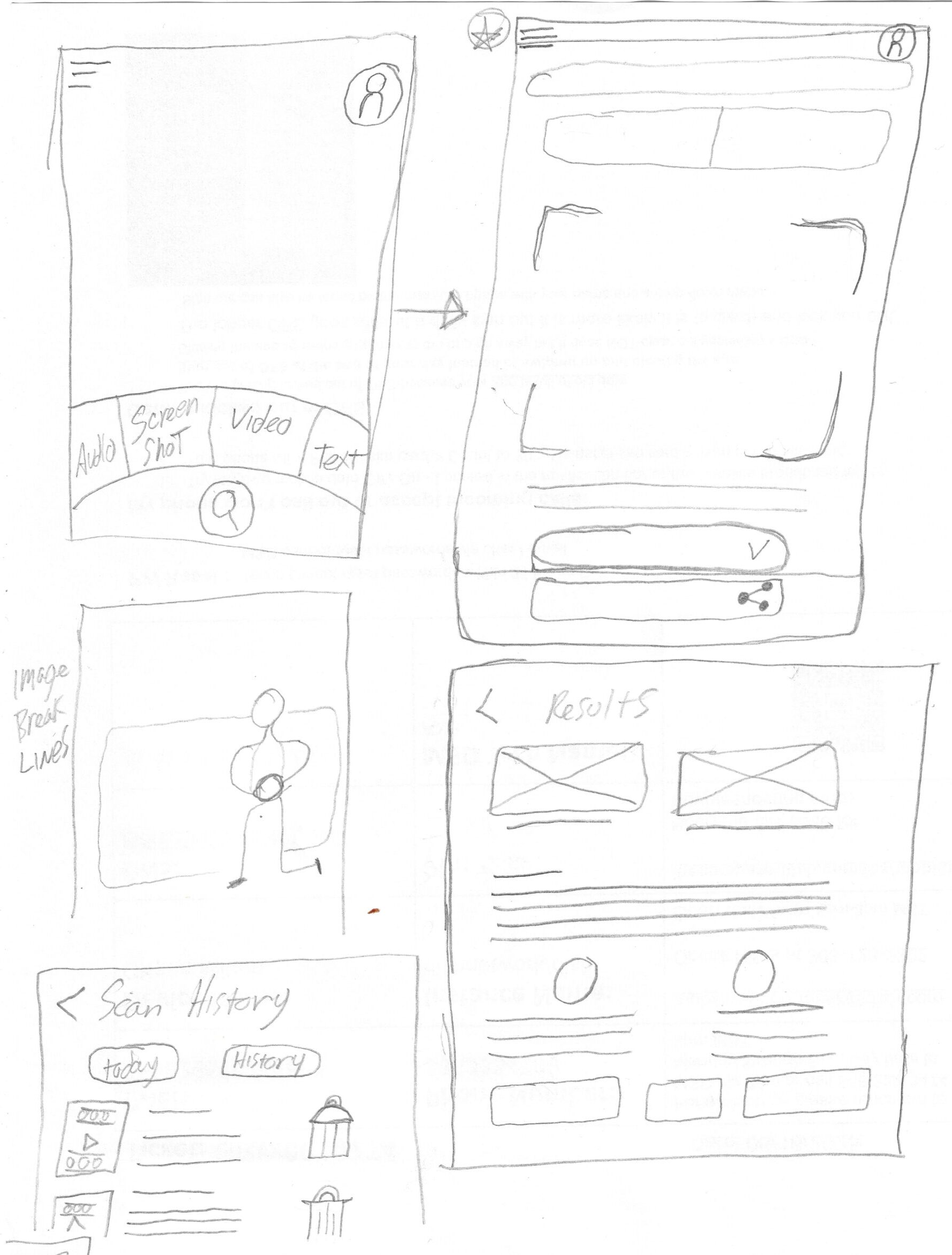
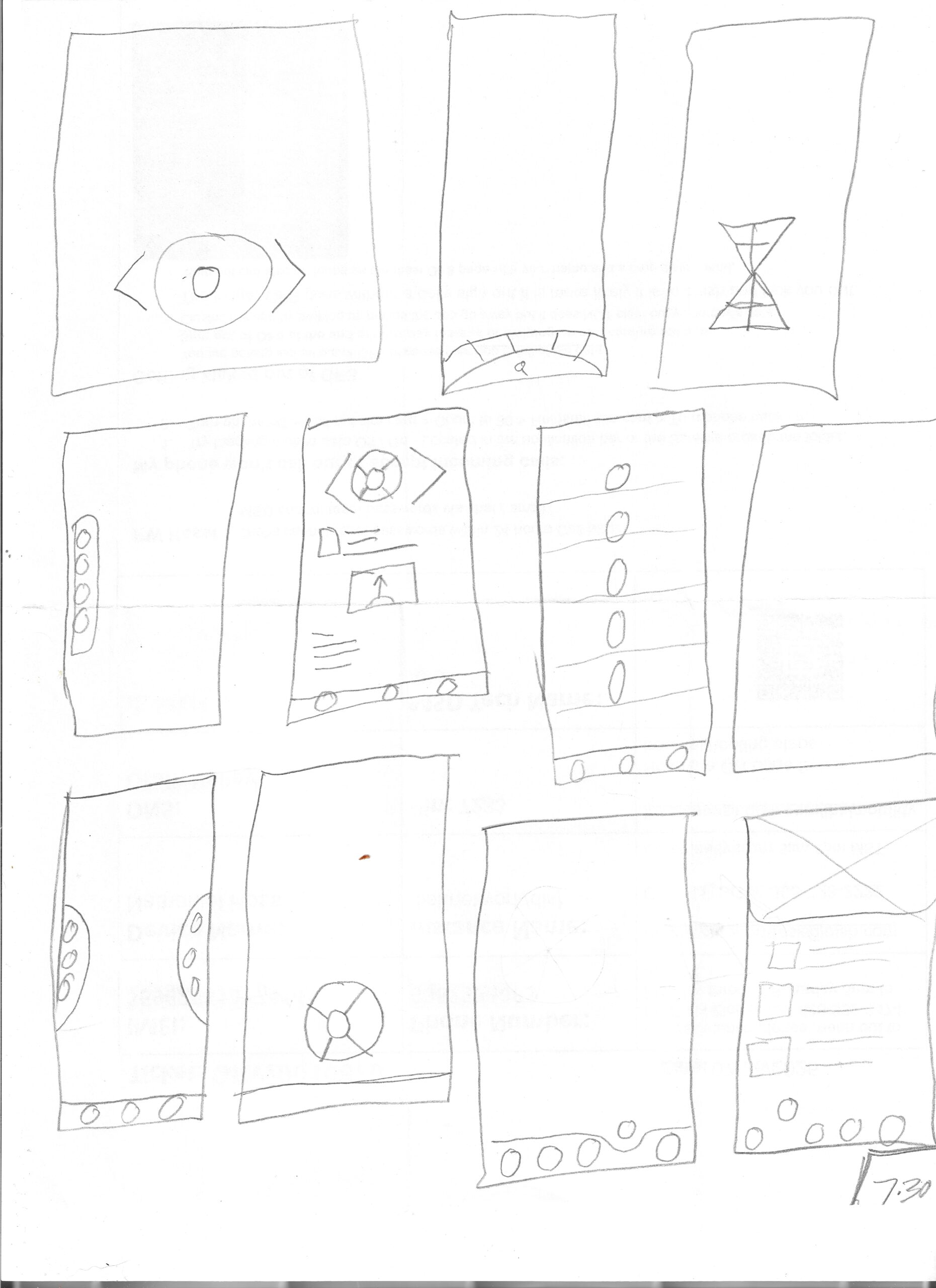
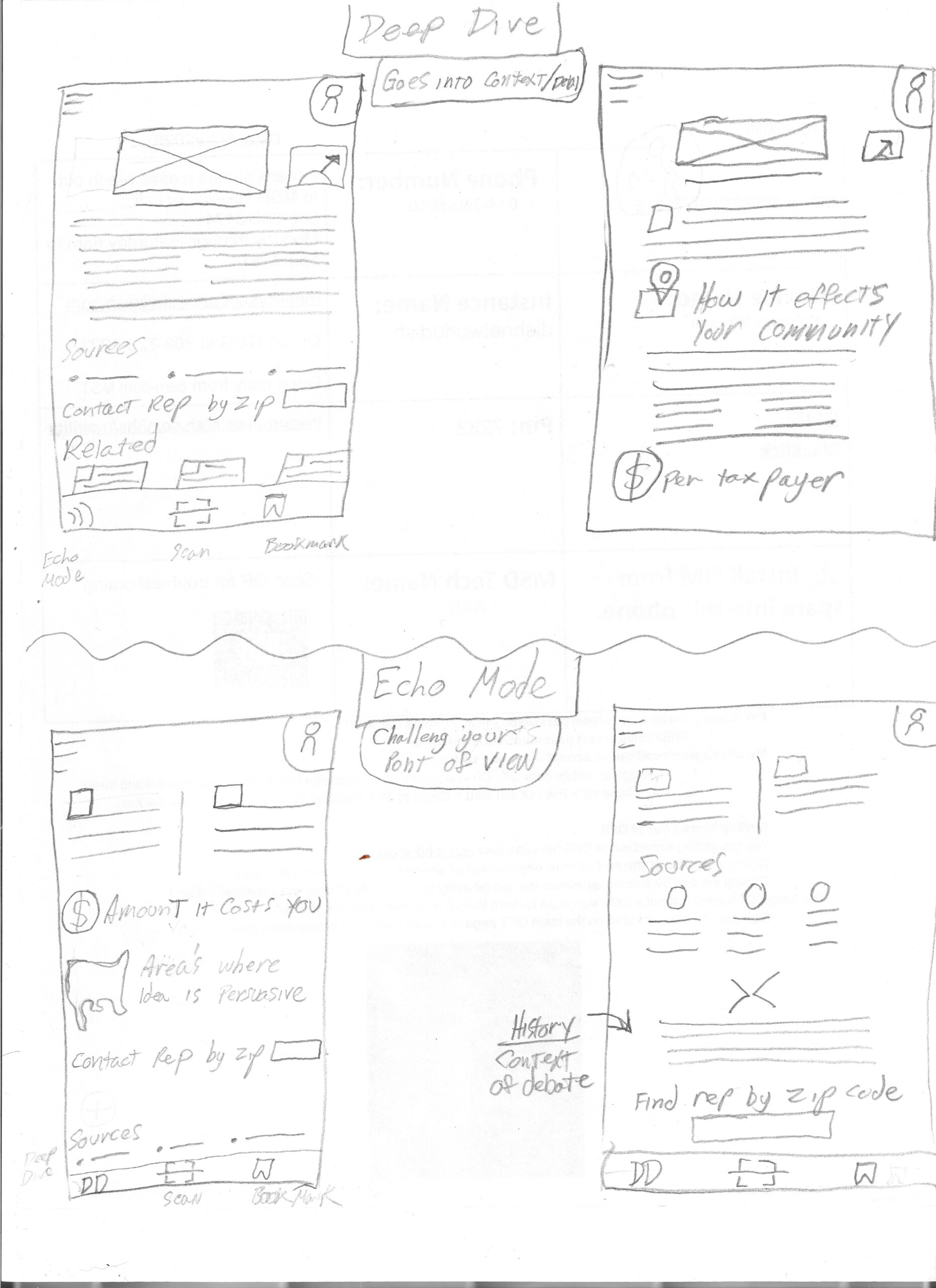
The visual direction wasn’t immediately clear, I relied on low-fidelity paper wireframes and ideation techniques like Crazy 8s and How Might We to iteratively shape the app’s layout and interaction patterns.

How might we design an app that feels fast, familiar and fits seemlsly into users daily life ?
How might we create a sense of community where users can discuss different topics
How might we make fact checking acceiable to non English speakers & those with disabilites ?
How might we help users save data or revisit stories for later refrence ?
How might users verify news media ?
What will the meter look like ?

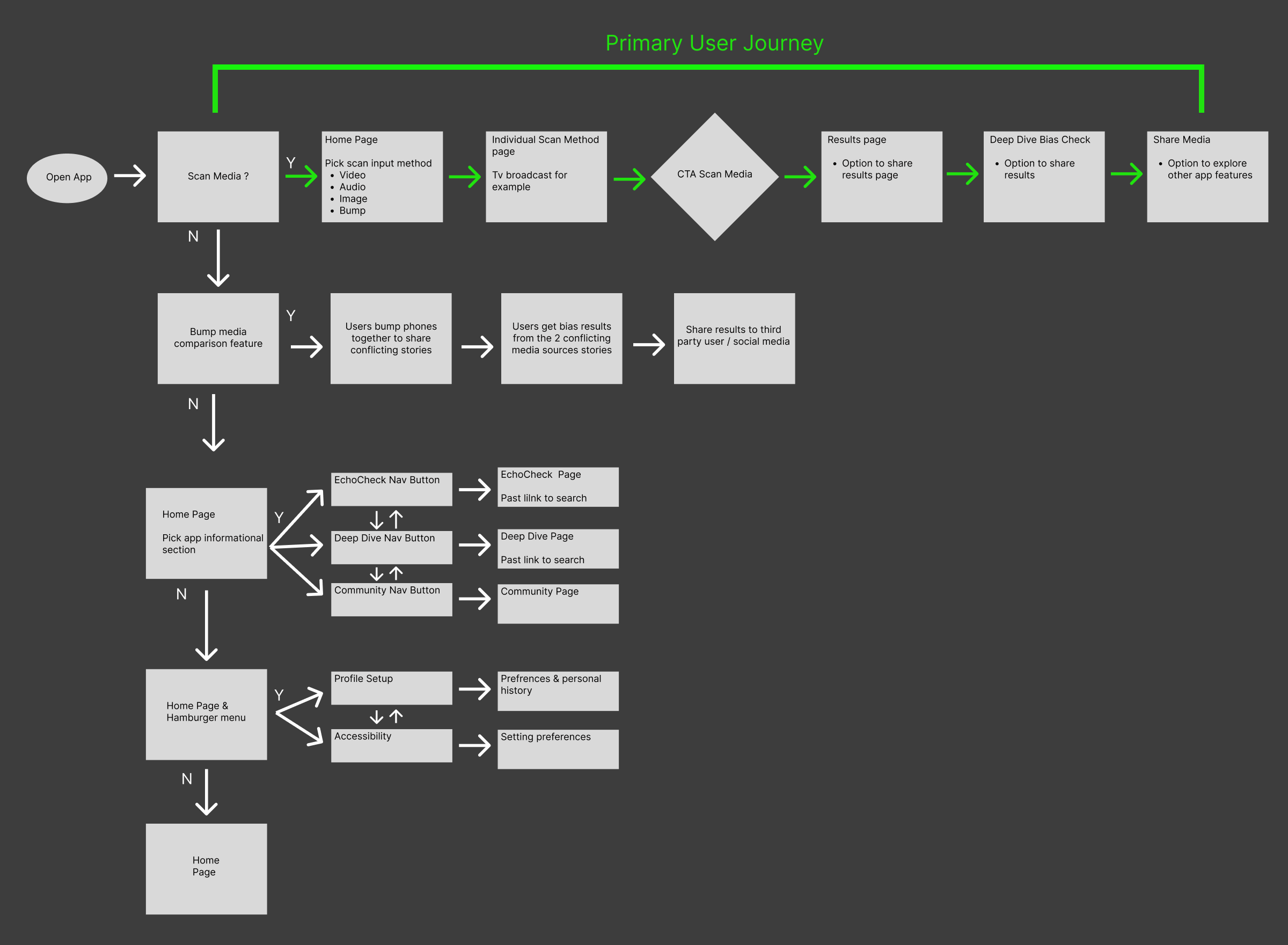
User Flow

EchoCheck doesn’t gate progress. All branching represents optional user-initiated actions from a shared results state

Paper Wireframe

Digital Wireframes

Paper wire frame iterations were translated to a digital format and a second round of surveys were sent out to the users.

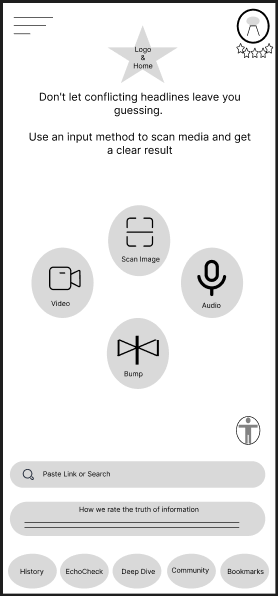
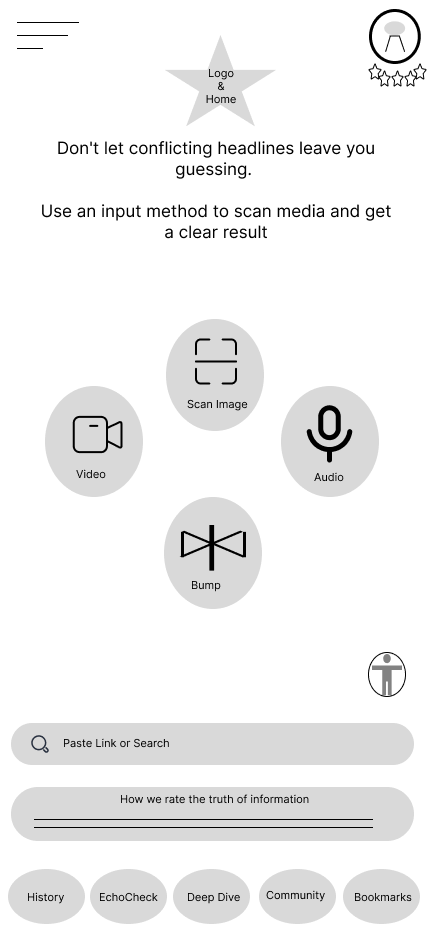
Main Page

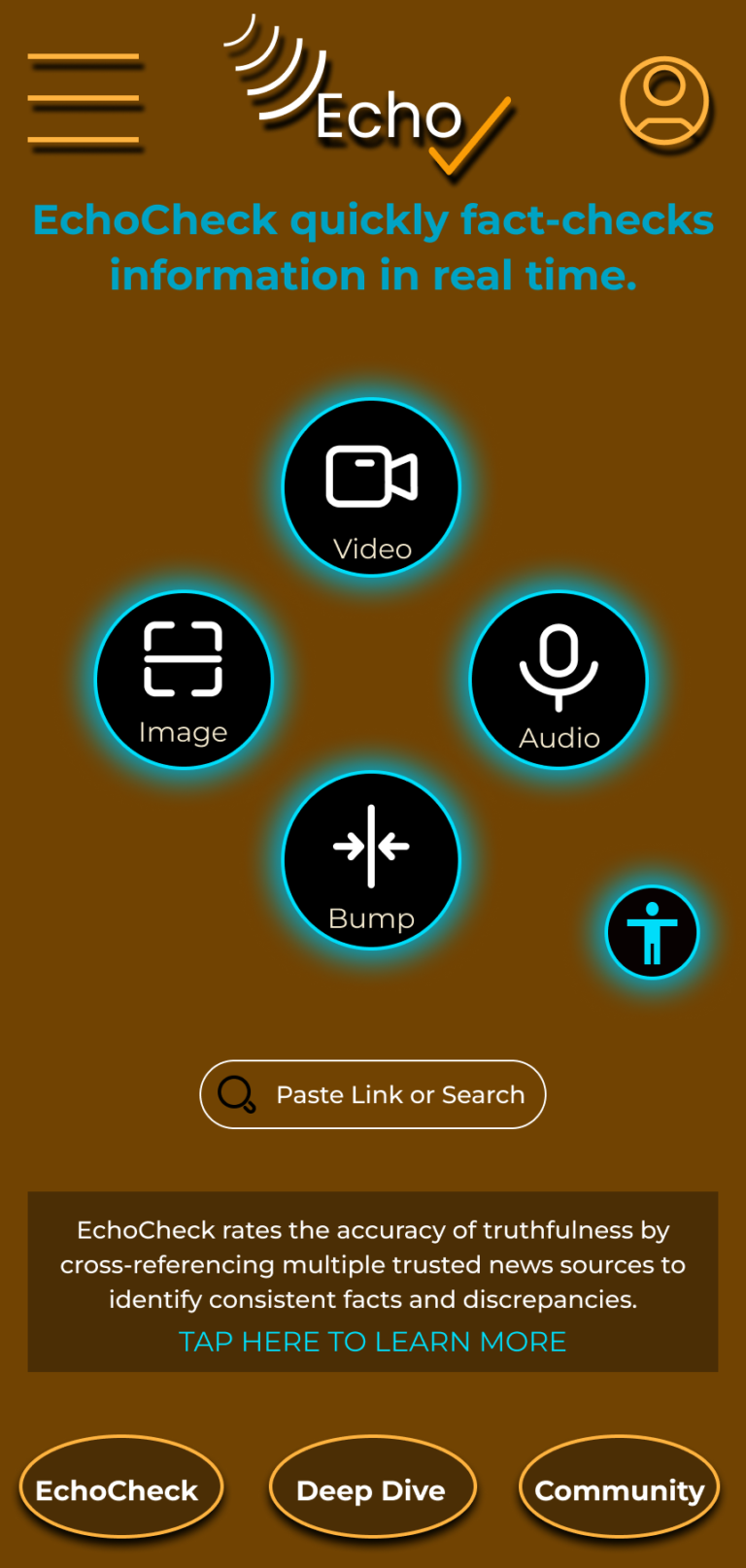
When the user opens the main page, they can easily start scanning or explore options like creating a profile for better analysis, pages to challenge opinions, or a space to debate topics.
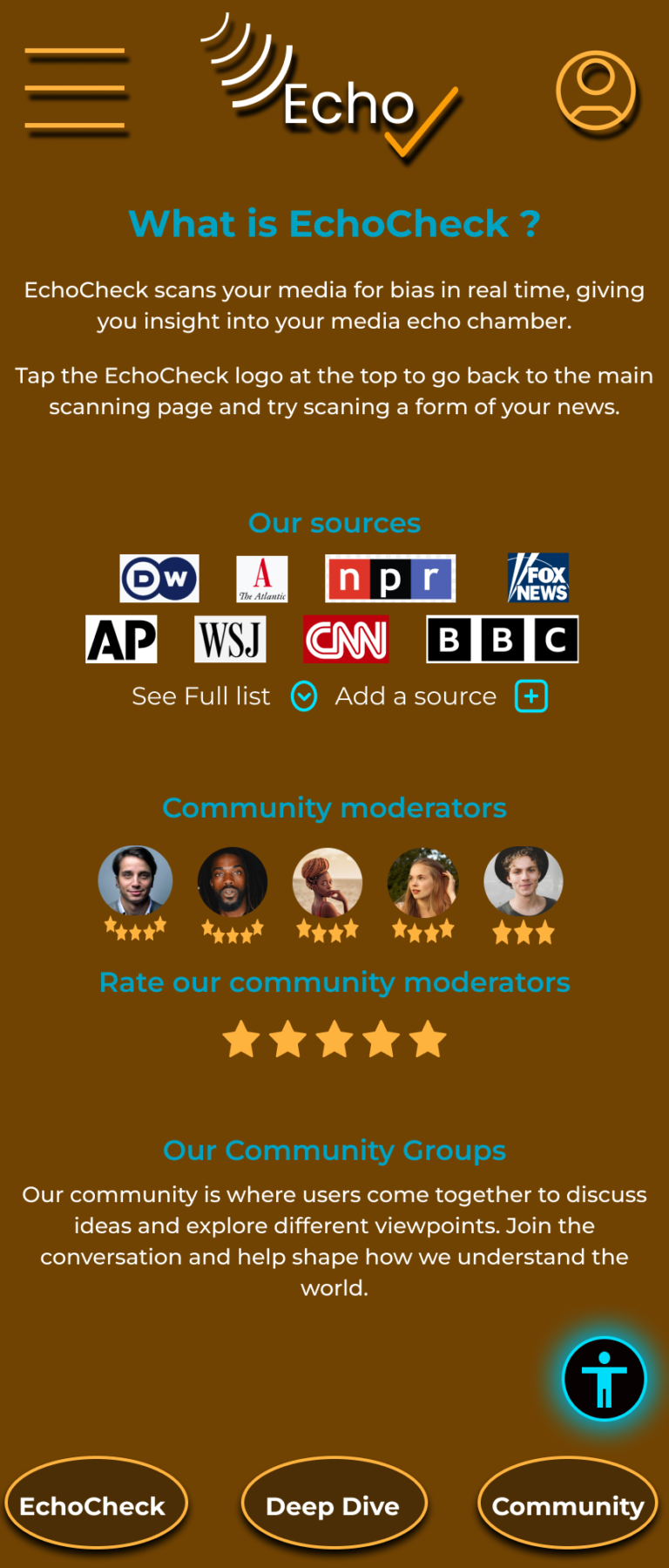
In order to establish trust users can also select a page describing how EchoCheck rates information
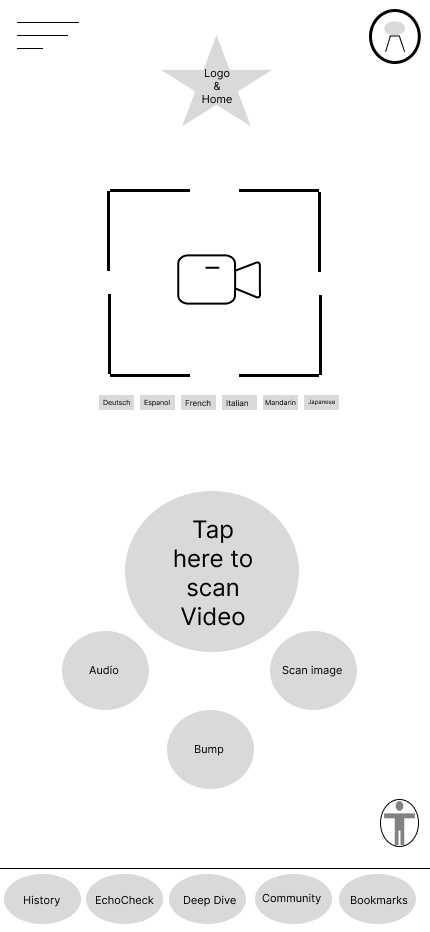
Scanning Page

The primary function of the app is to effectively scan various forms of media, allowing users to easily switch between different mediums. With just 1 tap, users can quickly receive a comprehensive analysis in seconds, making it a valuable tool for anyone needing swift insights into their media content.
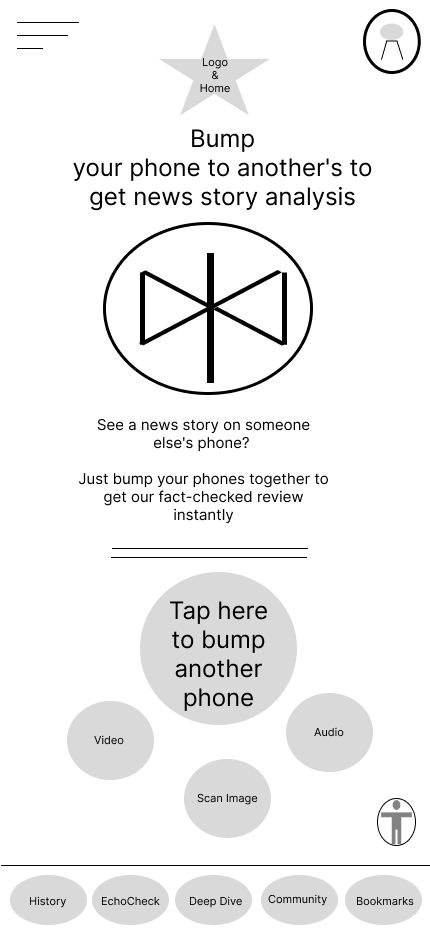
Bump

When two users encounter conflicting news stories, they can effortlessly tap each other's phones together to receive a detailed analysis on the discrepancies in the conflicting information. This innovative feature not only fosters communication between the users but also enhances their understanding of different perspectives surrounding the news.
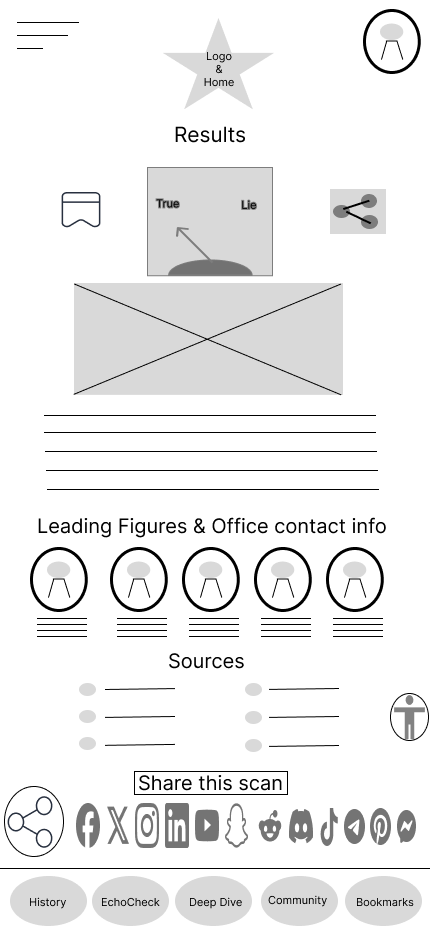
Results

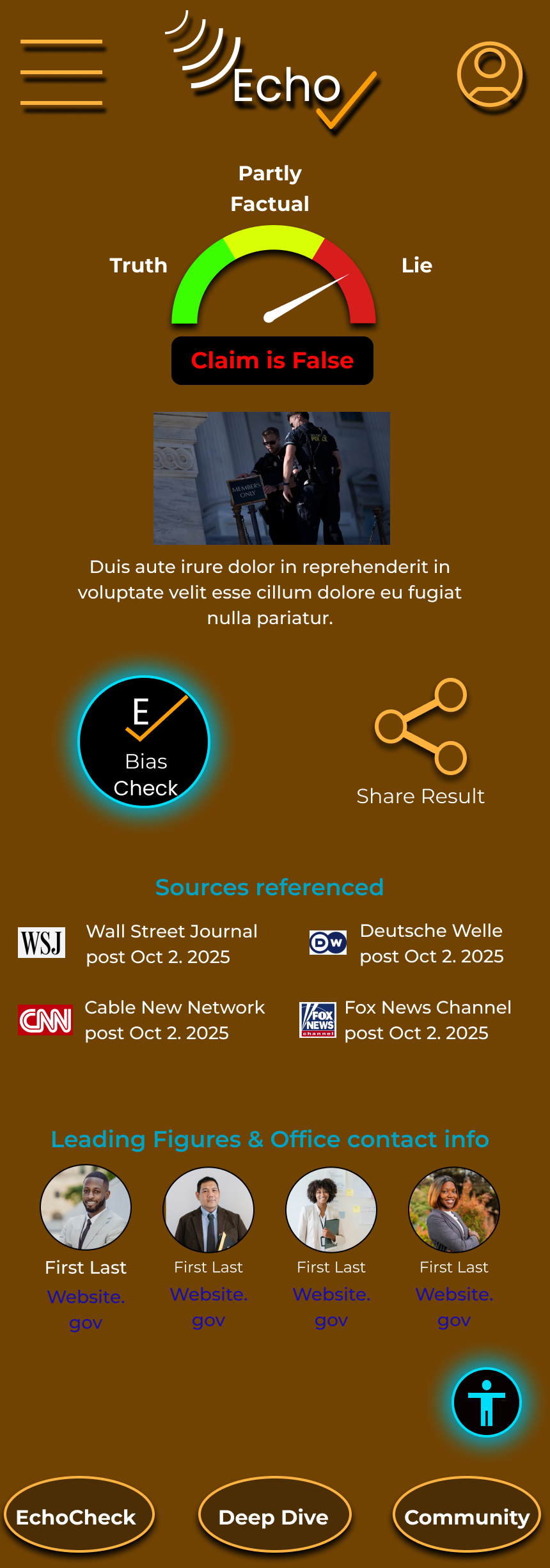
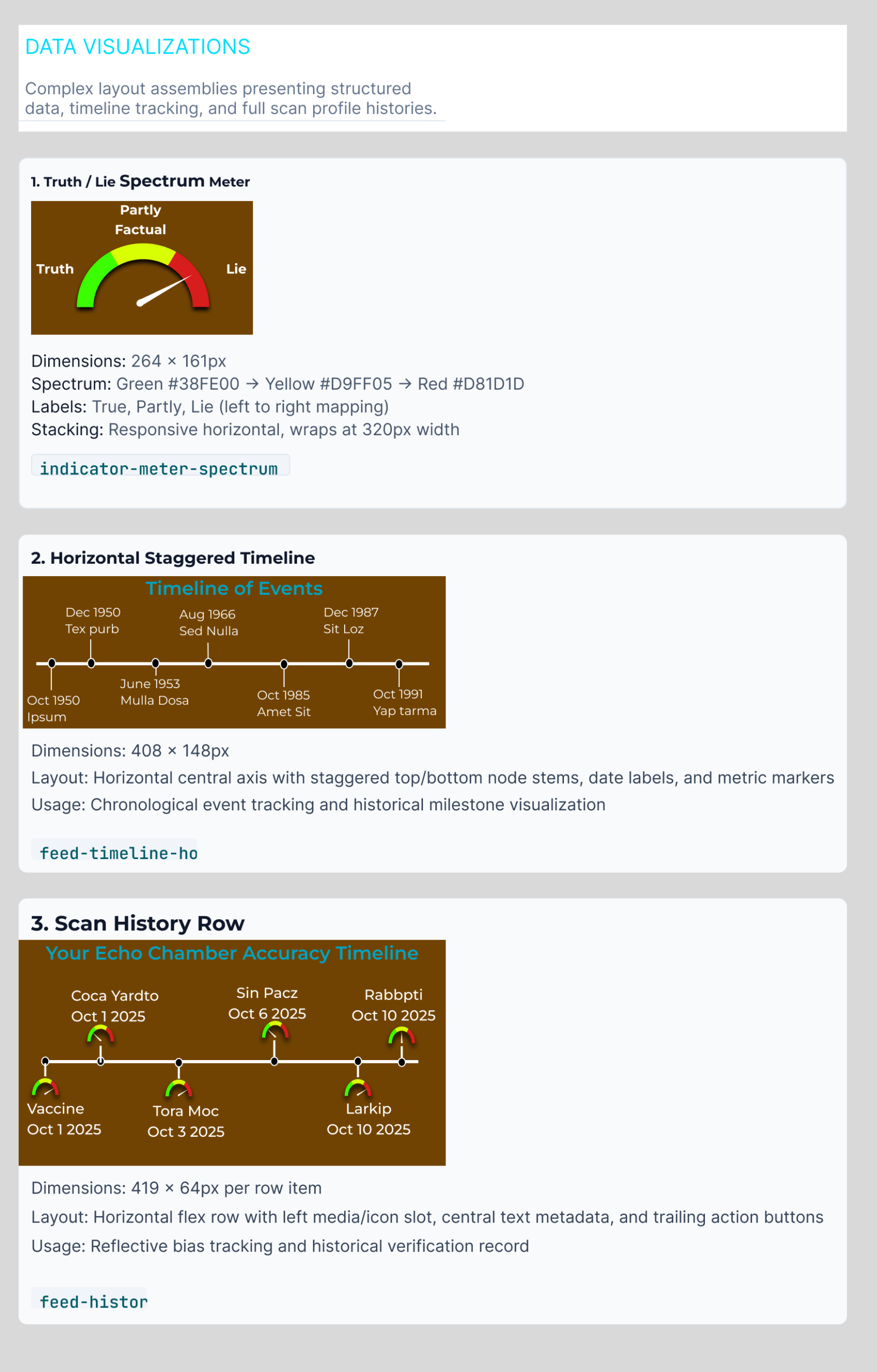
The results page features an easy-to-read truth/lie meter. It provides a brief explanation of the rating for user clarity. The page also lists key individuals related to the issue and includes sources used for the result.
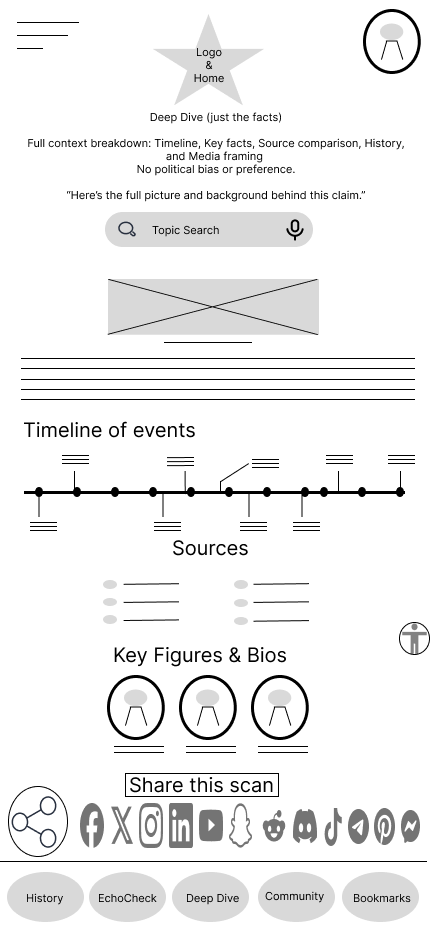
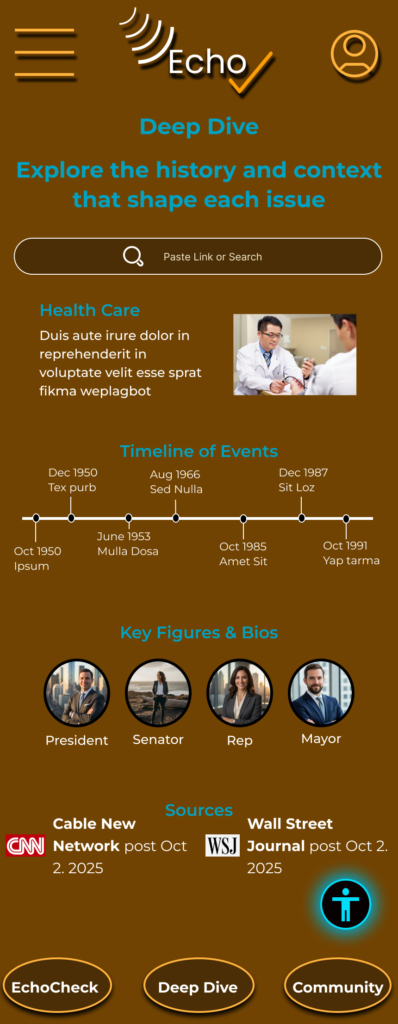
Deep Dive

The Deep Dive page is dedicated to providing comprehensive context and detailed facts about a specific topic. It serves as an invaluable resource for individuals who are eager to delve into and thoroughly understand the historical background and development of the subject matter at hand. This page is designed for those who seek to enhance their knowledge and grasp the intricacies of the topic's evolution over time.
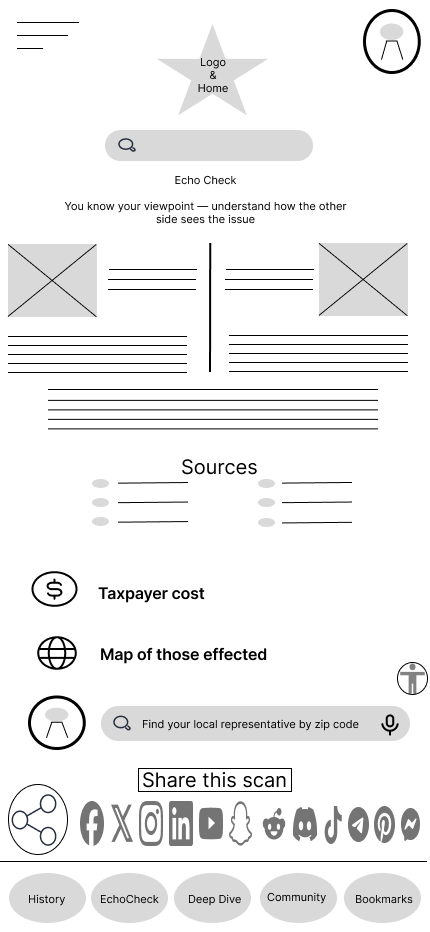
EchoCheck

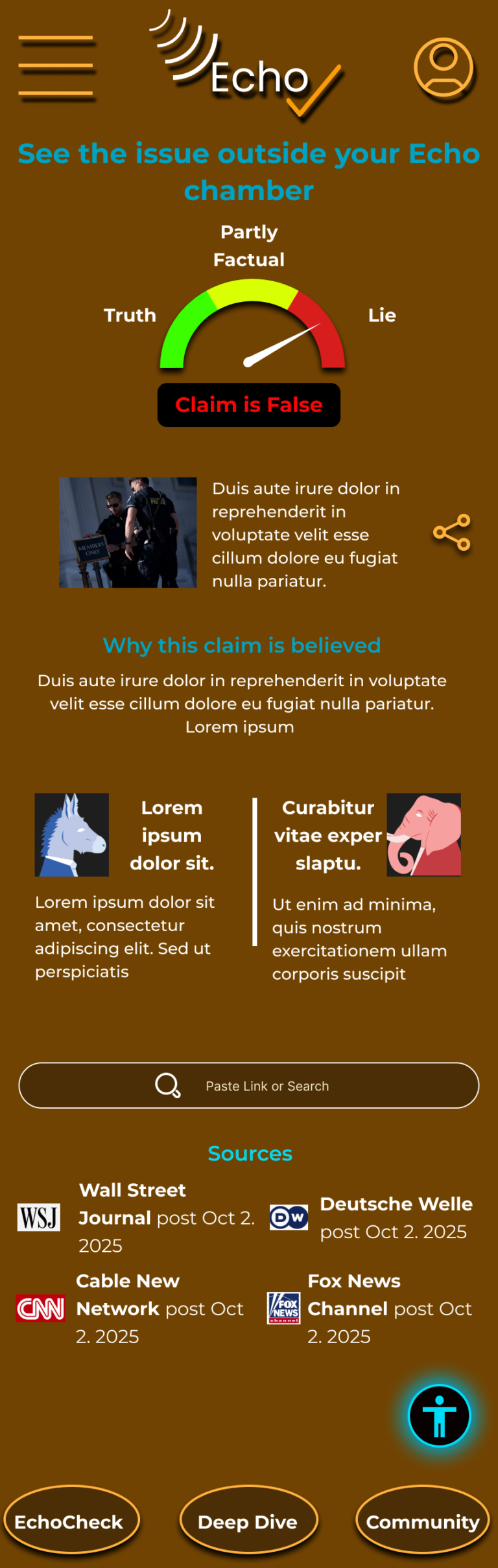
EchoCheck page displays different viewpoints side by side, helping users understand each side's perspective. It also shows the sources for transparency, details the costs to taxpayers, includes a map of those impacted, and offers options to share on social media and contact state representatives directly.
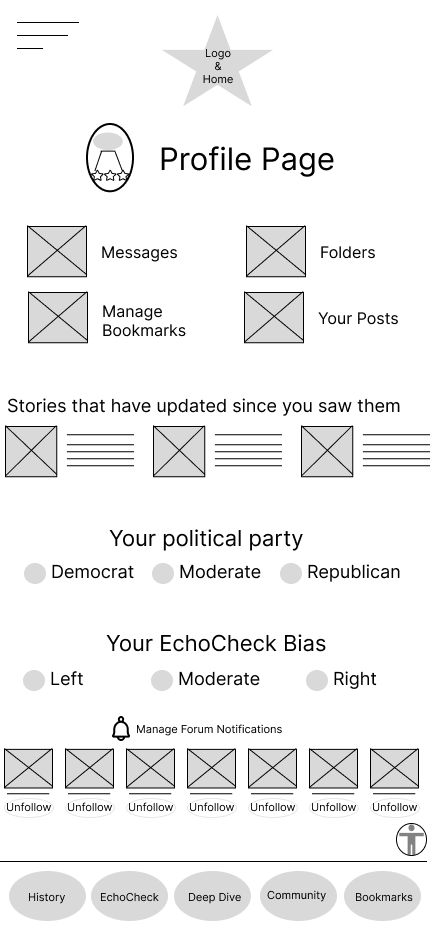
Profile

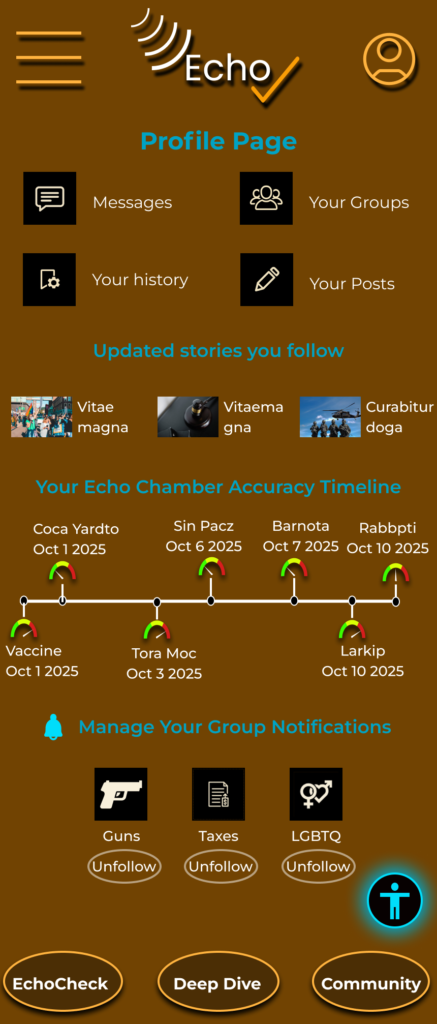
If a user wishes to utilize the profile page effectively, they will be provided with more accurate and relevant information while navigating through the EchoCheck page. This enhanced experience not only improves user understanding but also ensures that they receive tailored insights that better meet their needs.
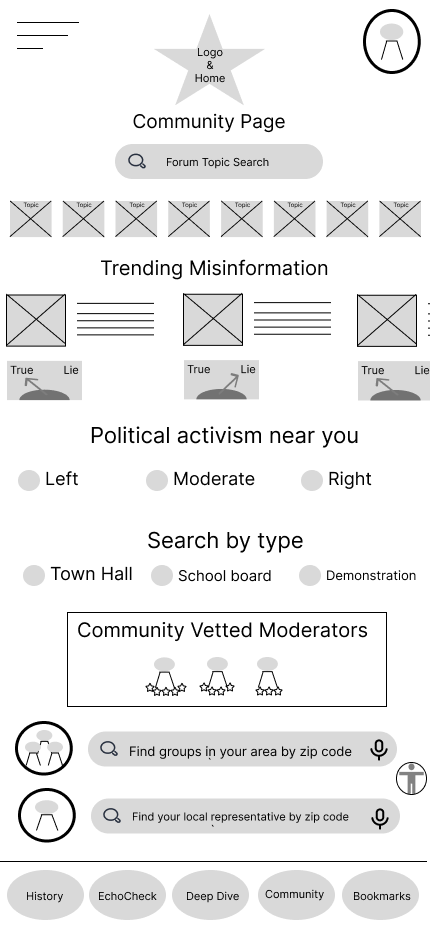
Community

When two users encounter conflicting news stories, they can effortlessly tap each other's phones together to receive a detailed analysis on the discrepancies in the conflicting information. This innovative feature not only fosters communication between the users but also enhances their understanding of different perspectives surrounding the news.

Second round survey results

Users were asked about navigation and layout on the second round.  Clarity and easy navigation were a major concern for the the app as well as establishing trust

Users were able to find and start a fact check quickly

Overall those surveyed reported easy navigation of features including scan options, DeepDive, Bookmarks and Accessibility 

Users were able to understand the results page and the truth / lie meter.

If fully developed survey participants reported they would likely use the app daily or weekly.  

What would inspire more confidence EchoCheck results ?

5e535273f5fa1a8f72f4e08c_peep-19
” I would trust the results more if they were backed by subject-matter experts, data-driven and scientific verification, while clearly citing multiple credible sources “

Pain Points

Clutter

A number of users felt that the overall design appeared to be somewhat cluttered, making it challenging to navigate and absorb the information presented effectively.

Meter placement

Survey participants expressed that they had a clear understanding of the meter, but they also indicated a strong desire to see it displayed more frequently in order to better track their usage and engage with the information it provides.

Trust

It is essential for the app to present information in a credible and trustworthy manner, ensuring that users can rely on the accuracy of the data provided. Providing insights into the sources not only fosters trust but also enhances the overall user experience.

Color & Logo design

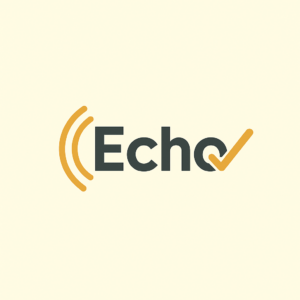
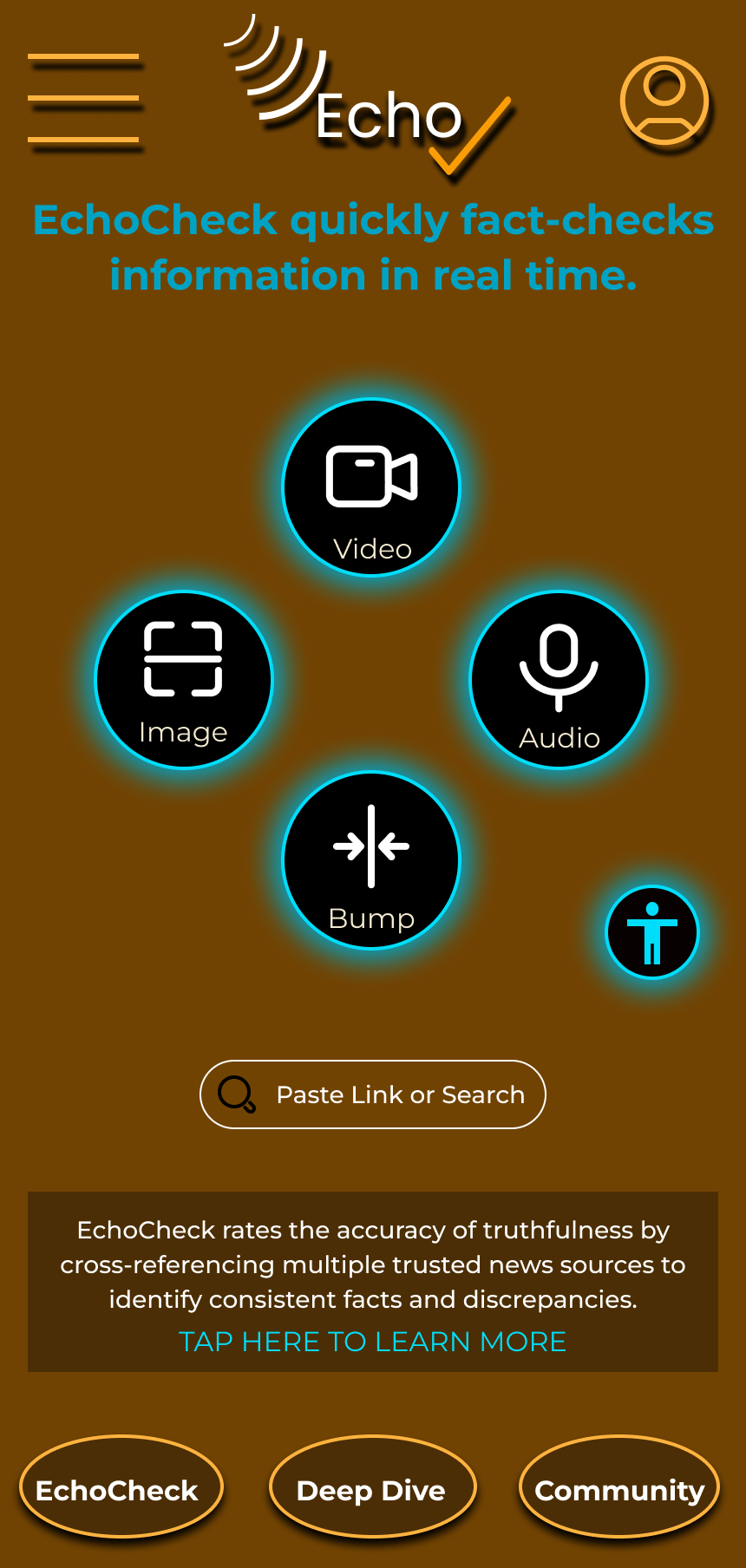
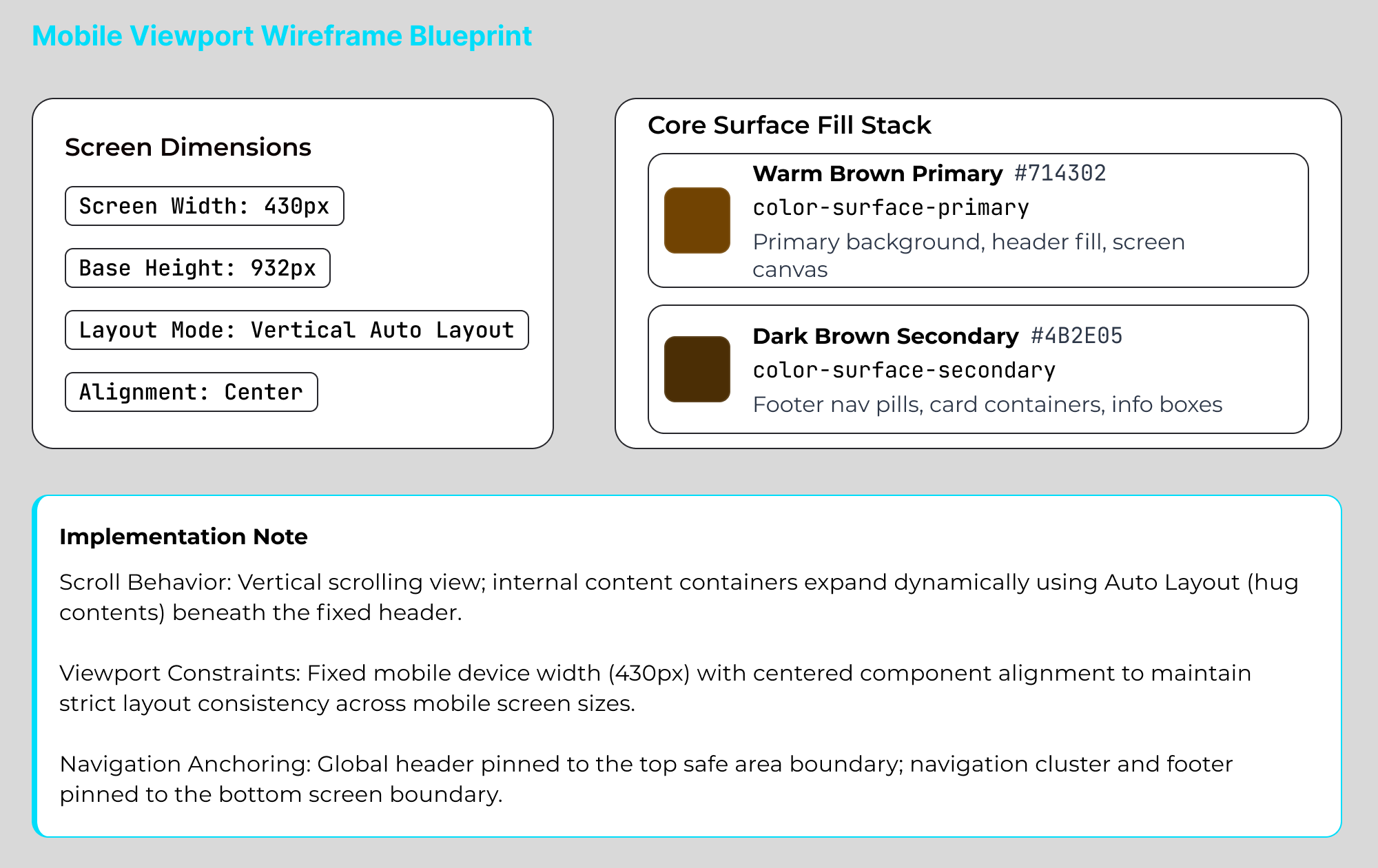
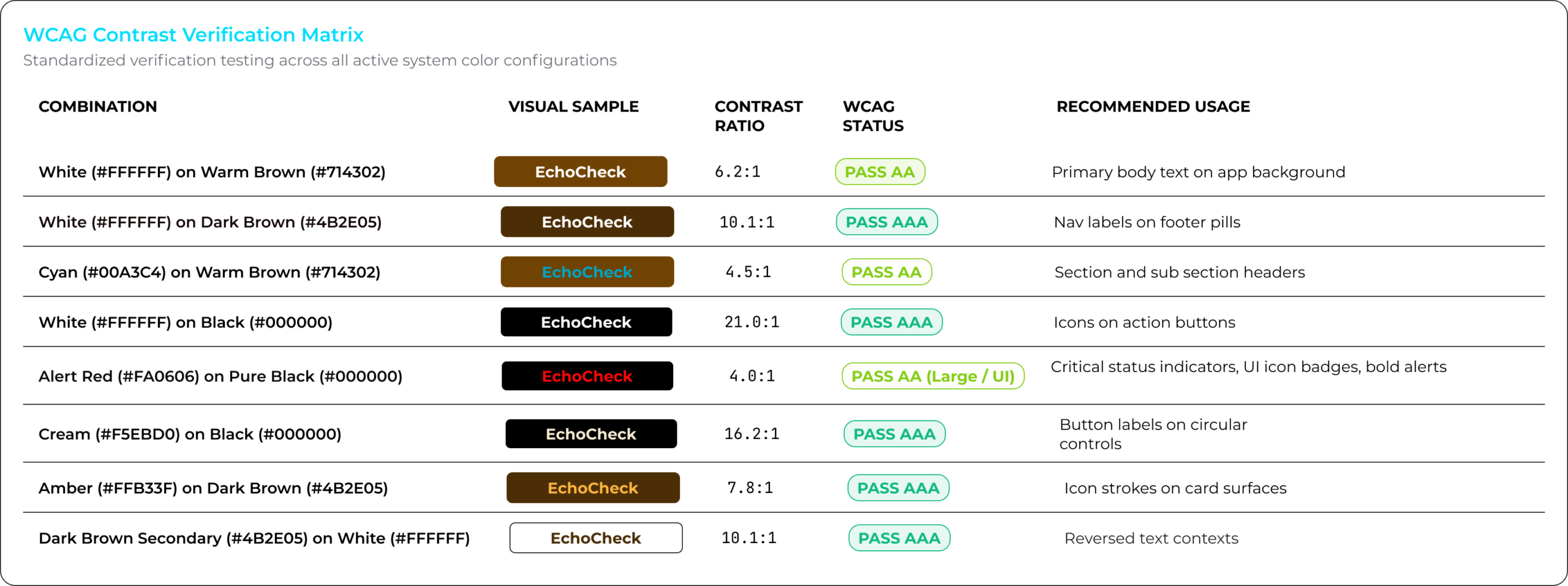
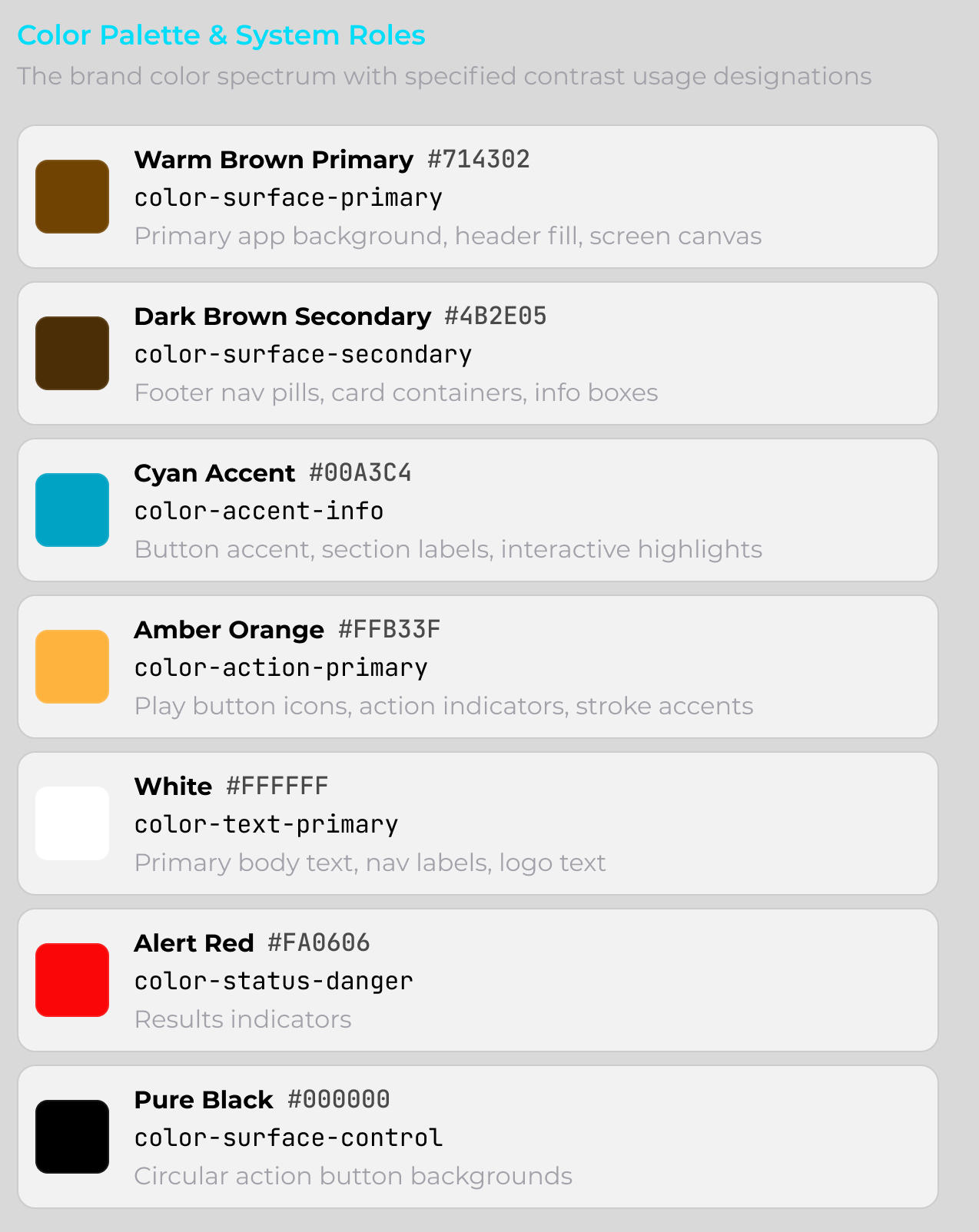
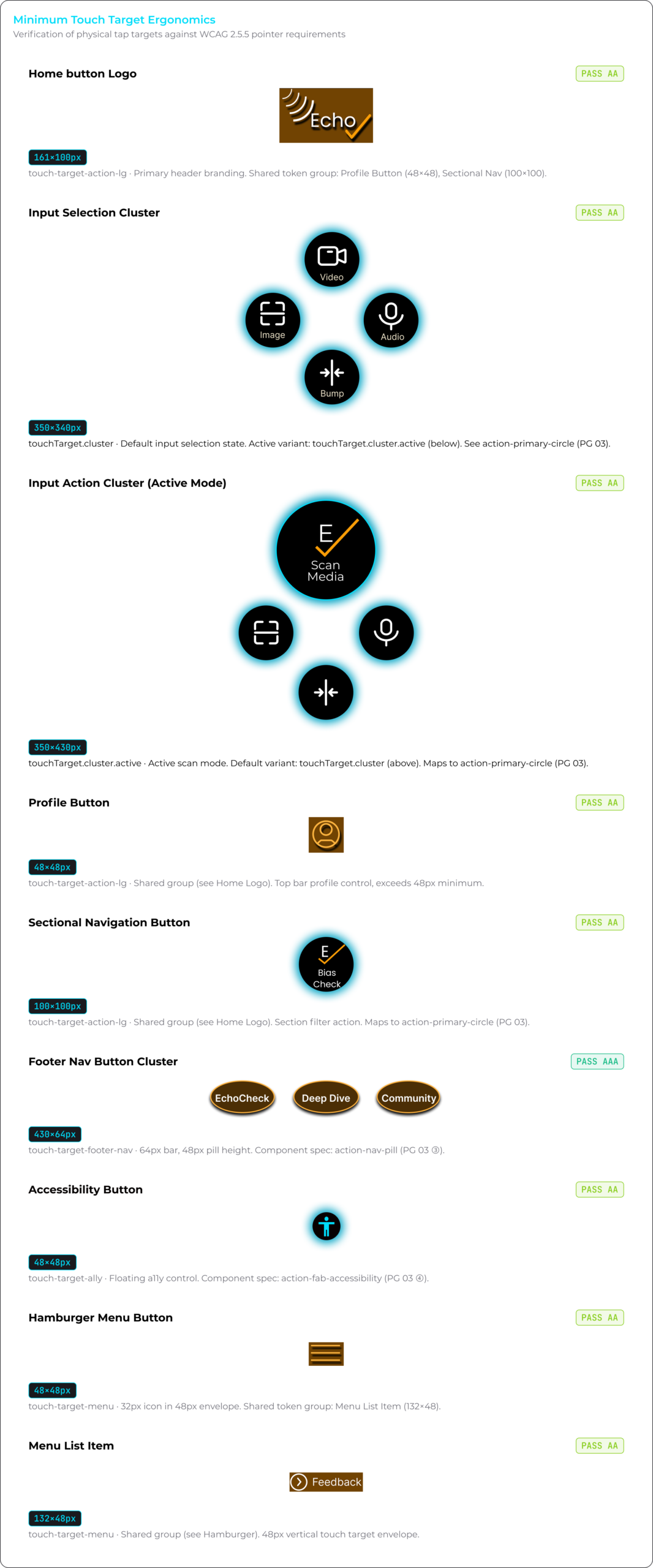
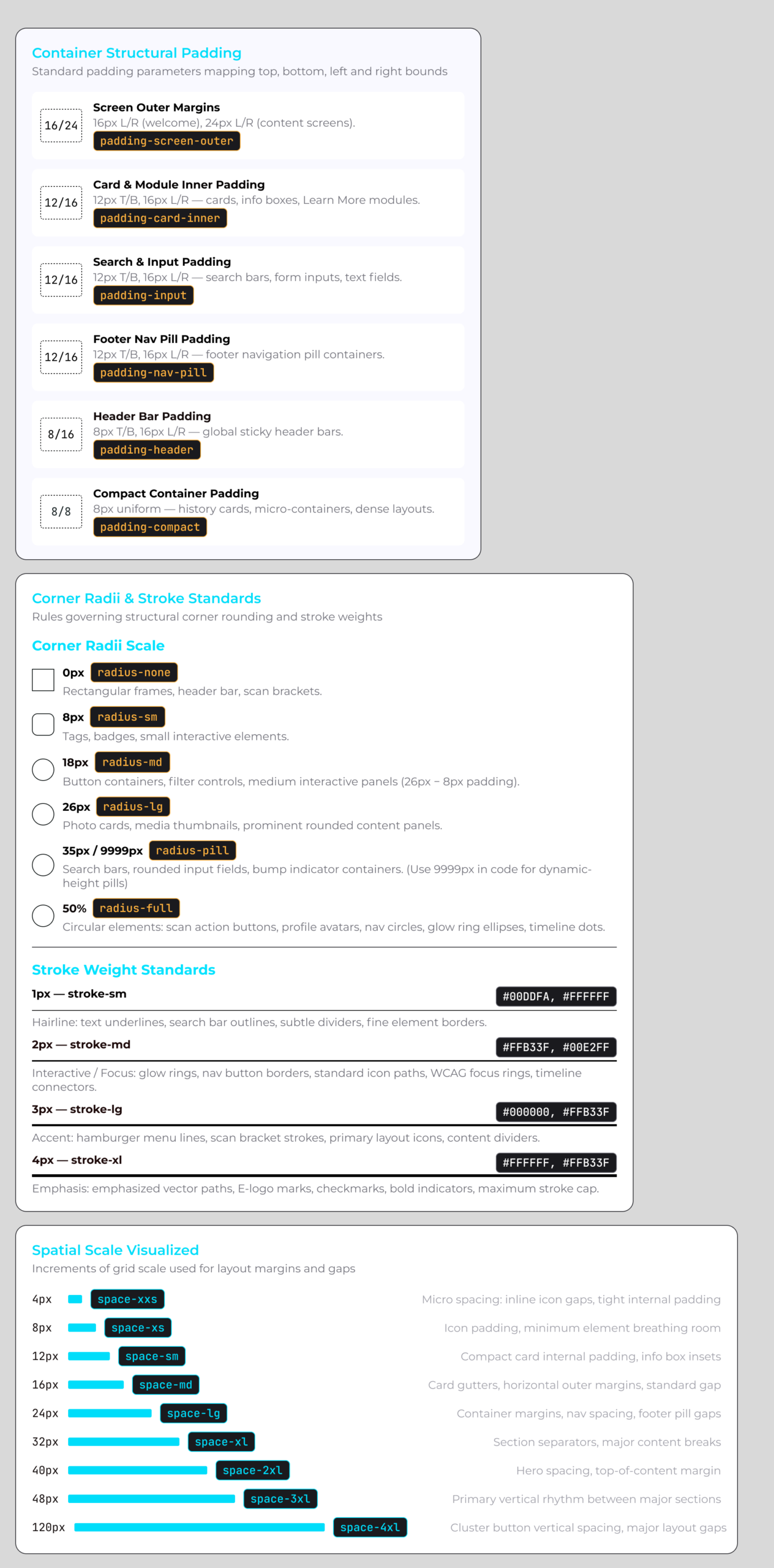
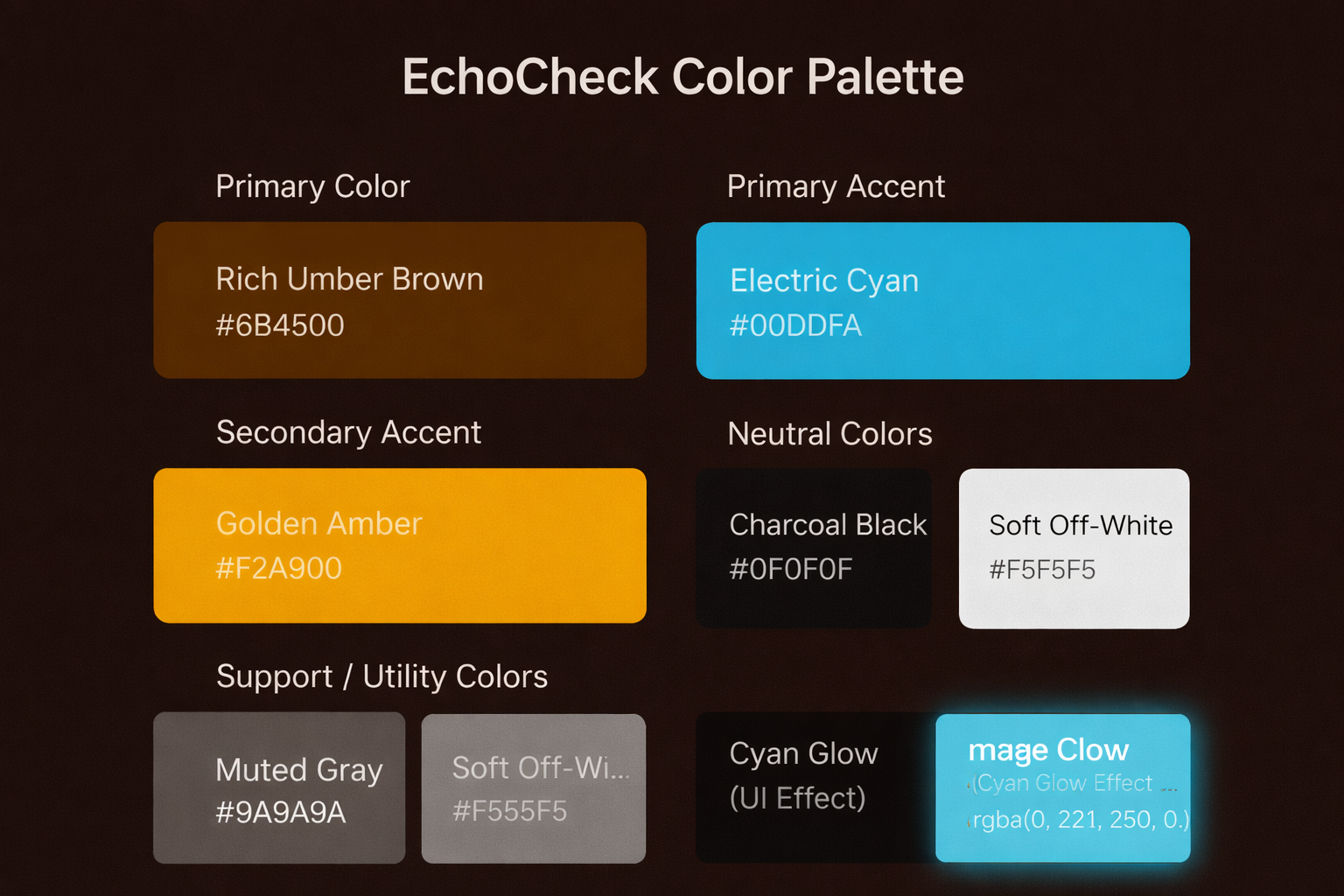
To differentiate this product from established fact checking platforms like Snopes, FactCheck, and PolitiFact which rely on high-contrast palettes of black, white, red, blue, and yellow I chose a warmer, more distinctive color system. Brown draws on associations with archival materials and academic environments, reinforcing depth, credibility, and thoughtful analysis over immediacy or sensationalism. Yellow references gold to signal trust and reliability, while bright cyan adds a modern, digital edge that conveys clarity and innovation.

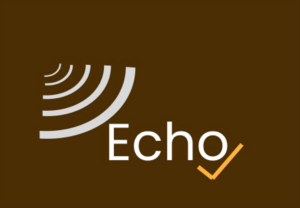
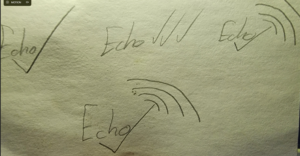
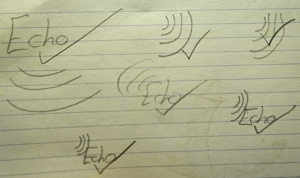
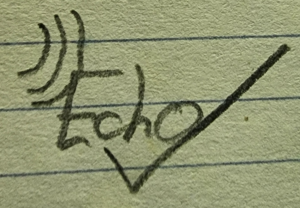
The EchoCheck logo is designed as a visual metaphor for active engagement with information rather than passive consumption. The radial forms suggest the outward spread of claims across media, while the checkmark represents verification, discernment, and a deliberate moment of evaluation. Together, the mark communicates clarity, intent, and the user’s role in deciding what they trust.

High Fidelity Prototype and final survey

My last survey focused on resolving pain points and presenting an engaging high fidelity prototype.

quab
MP
50 % of users said they used the copy / paste link function 1st instead of scanning real time media.
I moved the search function up to a more prominent position
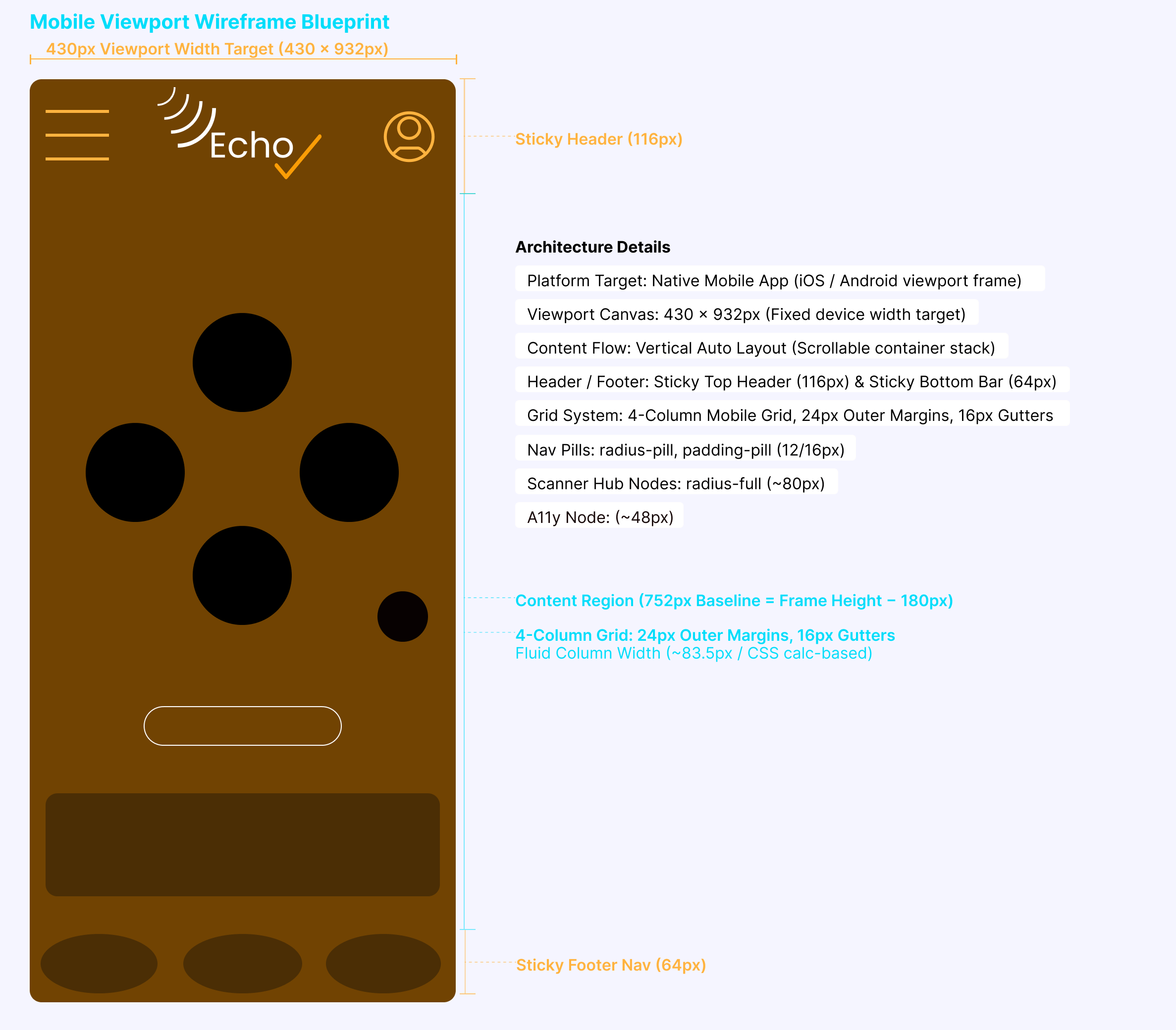
To remove clutter certain features were moved to the hamburger menu and taken off the bottom of screen
Echo Check Page
Echo Check PageHF
The Truth / Lie meter feature was added to the EchoCheck page. This addition allows users to gauge the authenticity of information without returning to their scan results.
The added section explaining why a claim is false and why it is believed goes a step further by unpacking the mechanics of misinformation helping users understand not just what is wrong, but why it spreads and feels credible in the first place.
Individual social media buttons were removed and would appear as options if the user tapped the share button

Developing trust

Participants in the survey felt that sources made the information more trustworthy. Add a source feature allows users to add new sources for analysis, helping to ensure that the AI bot considers multiple sources and engages more users.

Community page was especially useful to educators who expressed interest in having their students use the app to engage in more in depth discussion outside of the classroom. 

EchoCheck relies on artificial intelligence for comprehensive analysis, so having a community of thoroughly vetted moderators adds another significant layer of trust and reassurance for users, enhancing their overall experience and confidence.

Deep Dive & EchoCheck

Out of the total respondents, a remarkable 12 out of 12 indicated that they were able to effectively find and comprehend the significant differences between the two distinct sections presented in the app.

Every single person surveyed expressed strong agreement that this application would greatly assist users in recognizing and understanding their own preferred news sources, which is crucial in today’s media landscape.

Educators expressed their appreciation for these informative sections because they provide valuable insights and resources for both teaching and learning purposes.

User Perception Beyond Core Tasks

How neutral or unbiased did EchoCheck’s fact-check results feel to you?

All surveyed individuals expressed the belief that the app was completely unbiased and maintained a neutral stance, which significantly contributes to the overall trust users have in its recommendations.

Did you realize that the EchoCheck logo takes you back to the Home page ?

Although logo-based home navigation is common, over half of users did not recognize the EchoCheck logo as interactive, highlighting a mismatch between assumed navigation and users’ actual mental models, especially on mobile.

How visually appealing did you find the color palette?

Over half of participants found the color palette unappealing, revealing more about expectations than failure. Users compared EchoCheck’s warmer palette to established platforms, highlighting how visual conventions affect perceived trust.

Next iteration...

Conclusion

EchoCheck demonstrates strong potential as a flexible, real-time tool that supports critical thinking across multiple audiences.

For everyday consumers, it reduces the friction between encountering a claim and understanding its context, making verification feel accessible rather than overwhelming.

For creators, it introduces a moment of pause before sharing, encouraging accountability without disrupting fast paced workflows.

For educators, EchoCheck offers a practical way to model and reinforce media literacy skills in environments where misinformation is already present.

Together, these use cases position EchoCheck not just as a fact-checking app, but as a shared framework for slowing the spread of misinformation and empowering users to engage with information more intentionally.